Description
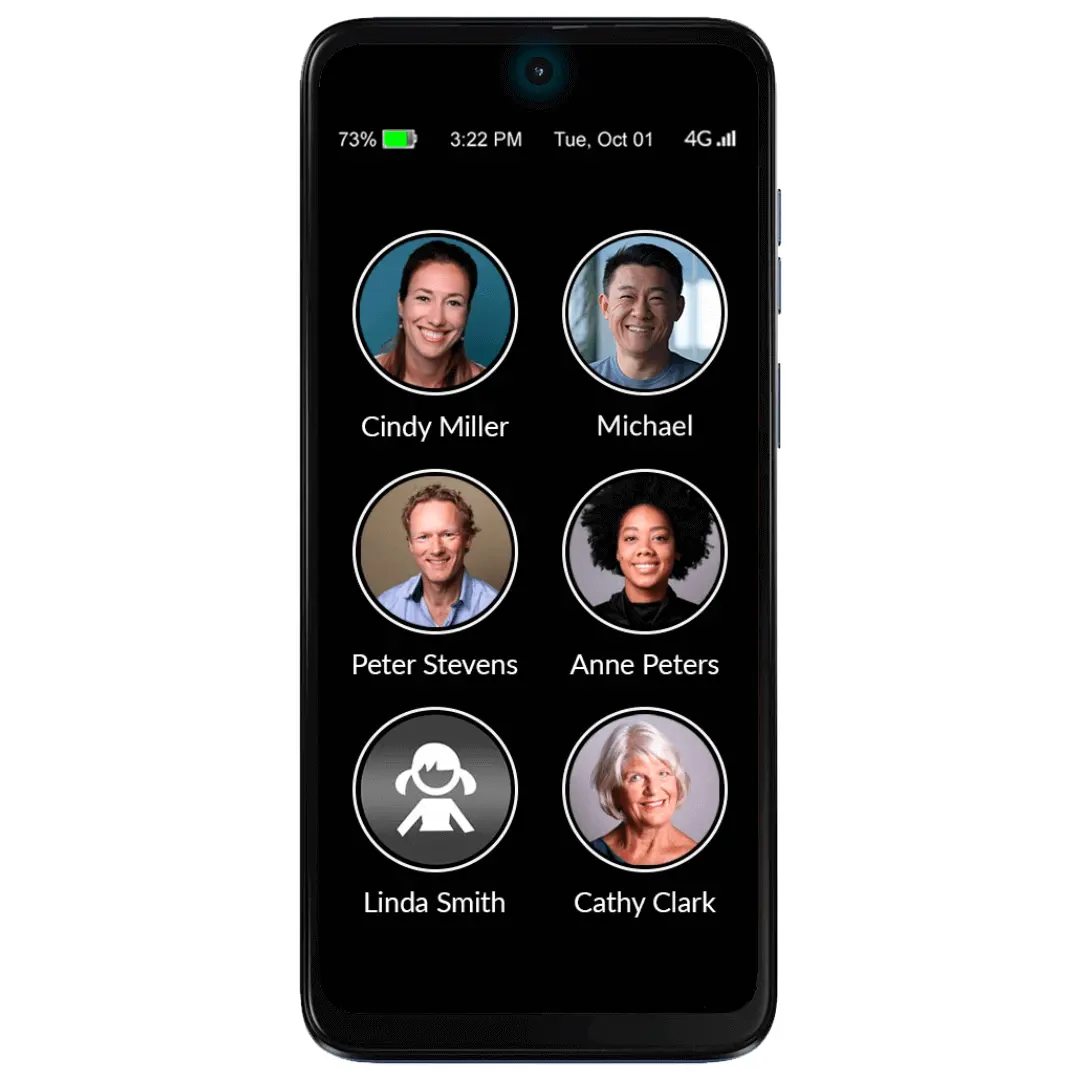
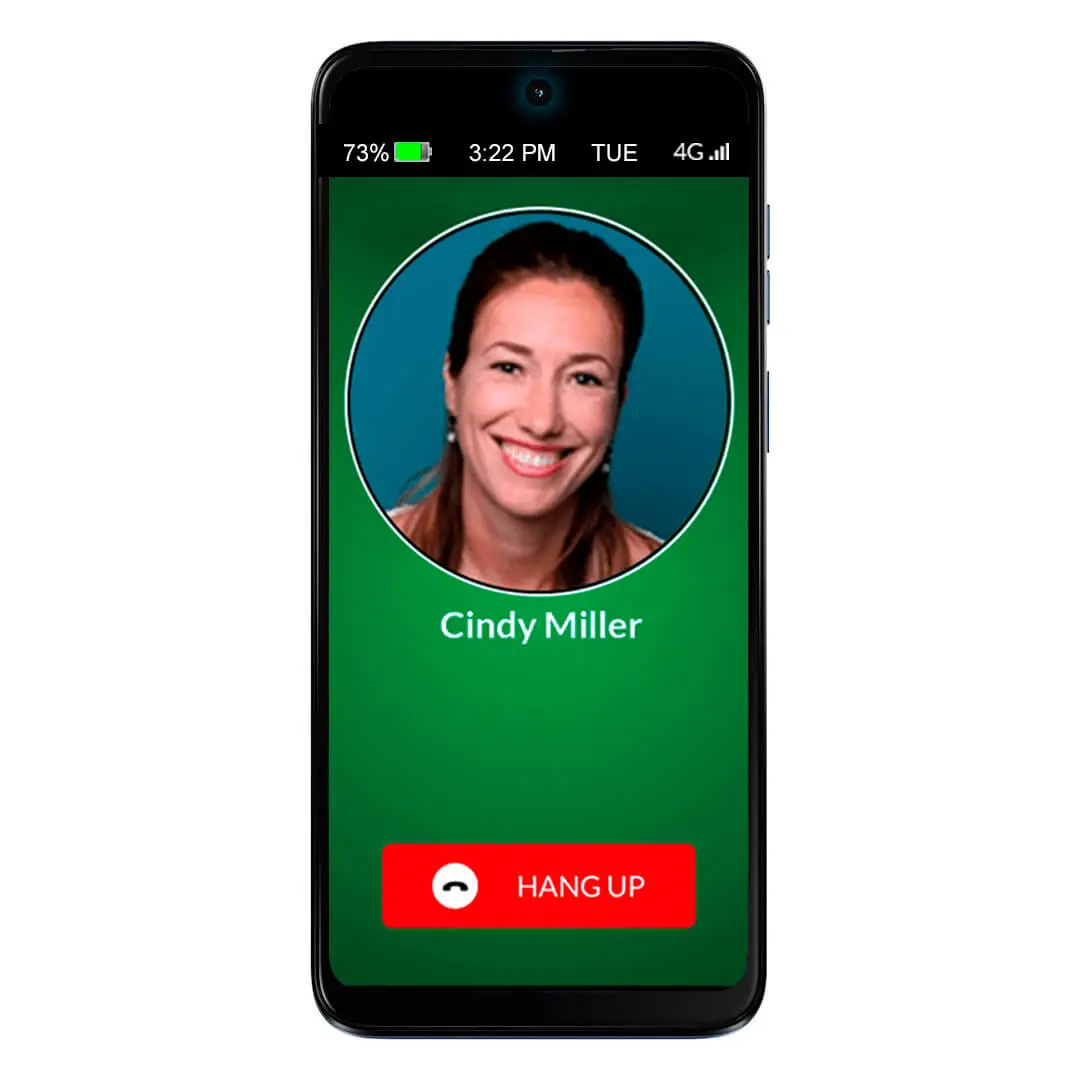
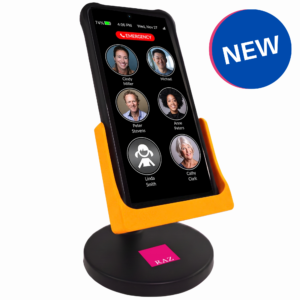
The award-winning RAZ Memory Cell Phone is an easy-to-use, groundbreaking cell phone for people with memory loss, dementia, Alzheimer’s, stroke, low vision, Parkinson’s or seniors who prefer an intuitive experience. The phone consists of one primary screen and one screen only. It allows seniors to stay connected with friends and family through regular phone calls, video calls and text messages, while allowing the caregiver to manage the phone from afar.
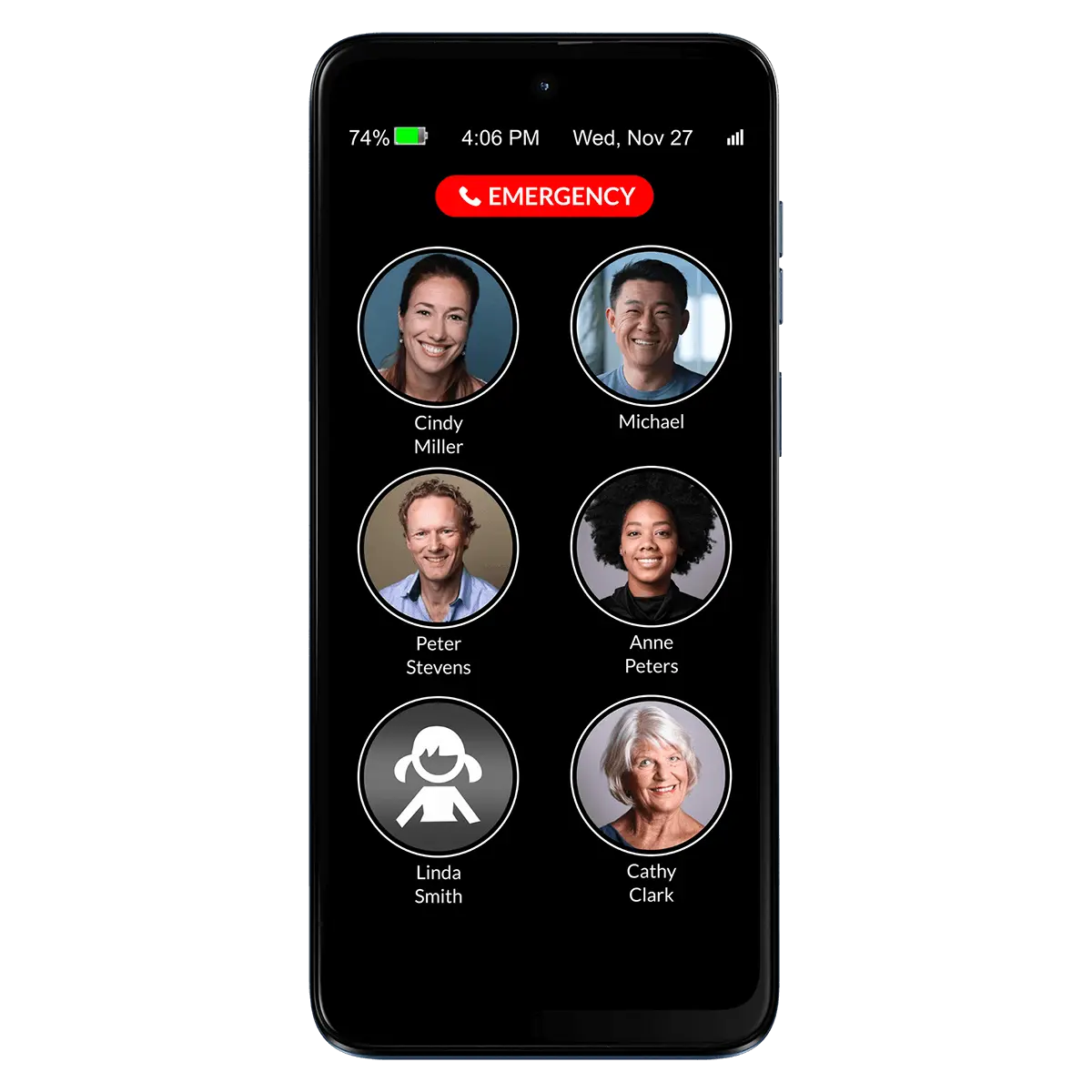
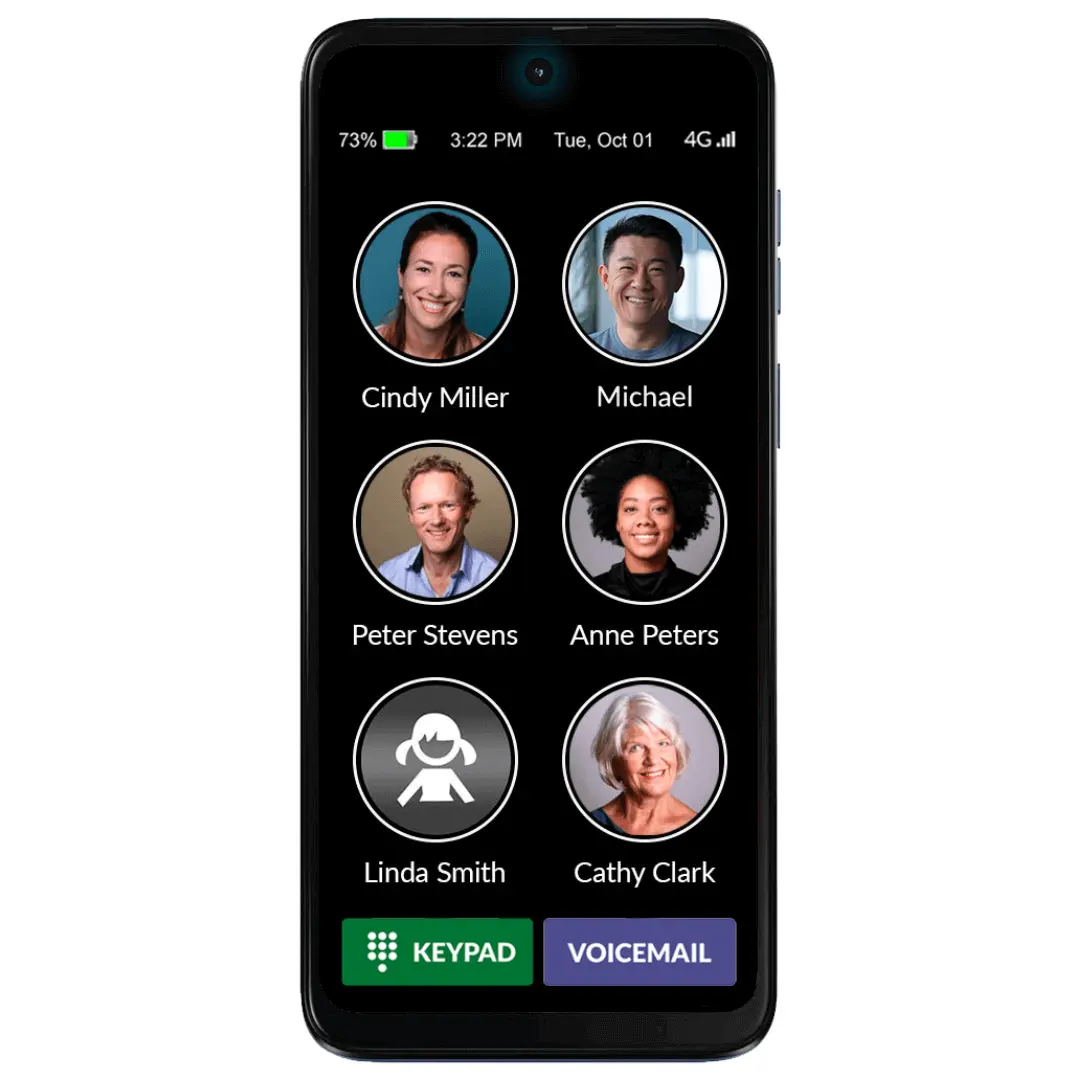
The single screen includes three elements:
- Photos and names of up to fifty contacts with six large icons per page;
- An optional 911 button or the alternative RAZ Emergency Service subscription;
- Optional information such as date & time, day of the week, battery power and signal strength.
The RAZ Memory Cell Phone does not exit the home screen. This prevents users from getting confused in the normal smartphone environment. Even the power button can be disabled.
The display, which is a large 6.5 inches, does not time out. It can remain always-on or go dark after 2 minutes and wake up with movement. At your option, incoming calls can be restricted to those coming from Contacts, eliminating undesirable predatory calls.
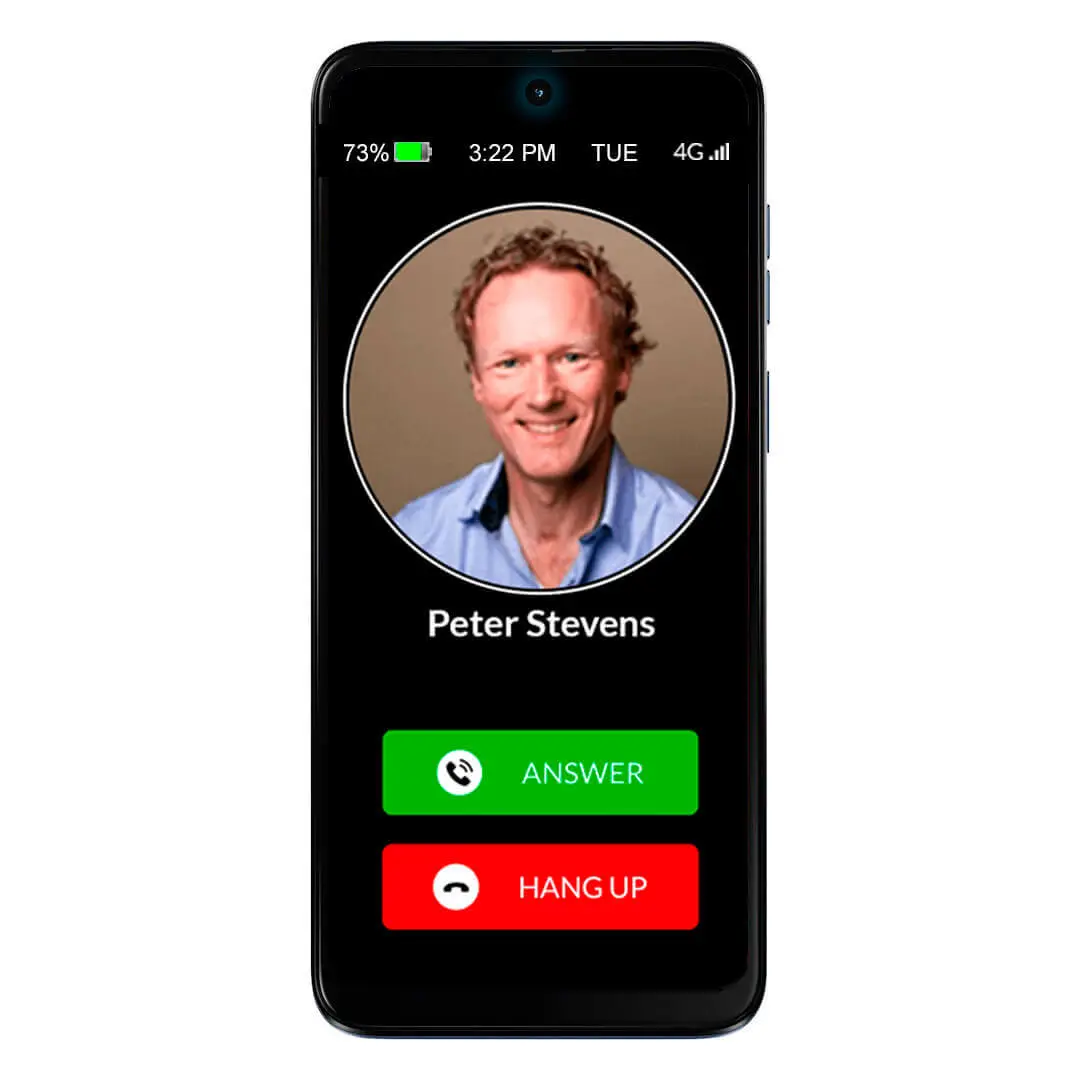
With a relentless focus on being extremely intuitive and easy to use, the RAZ Memory Cell Phone requires only a simple tap to place and answer calls. The caregiver also has the option to adapt the call activation method to the option that best suits their senior’s needs and ability.
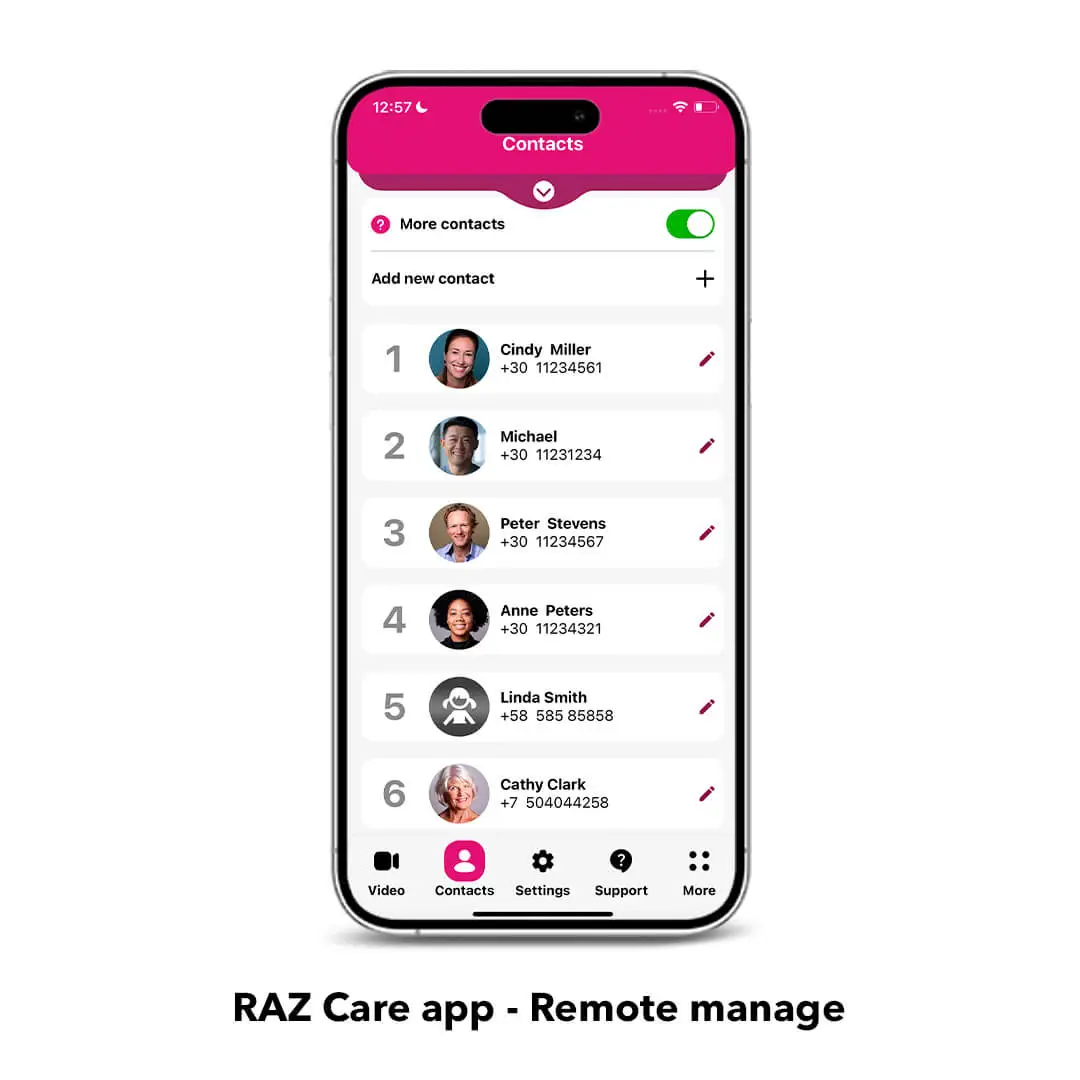
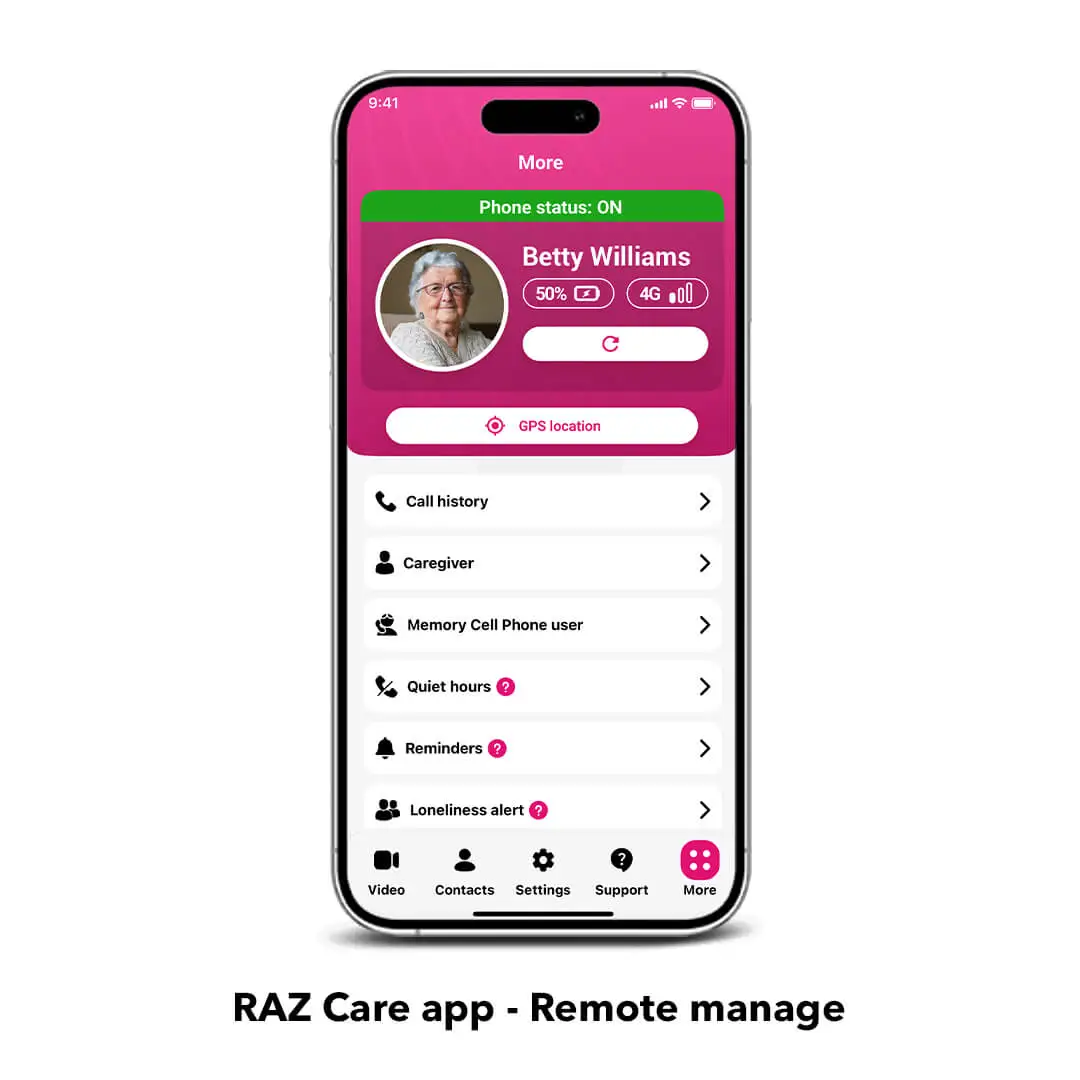
Remote Manage provides caregivers the unprecedented ability to remotely control ALL aspects of their senior’s cell phone through a simple app. Create and edit contacts, manage settings, access the phone information and much more from your own smartphone (iPhone or Android).
Key features:
Phone calls: Place and answer calls with a simple tap allowing the senior to stay connected with friends and family. The caregiver can manage the contacts with the RAZ Care app.
Block unwanted incoming calls: Avoid scams and robocalls with this essential feature that allows incoming calls only from contacts, enhancing your senior’s safety.
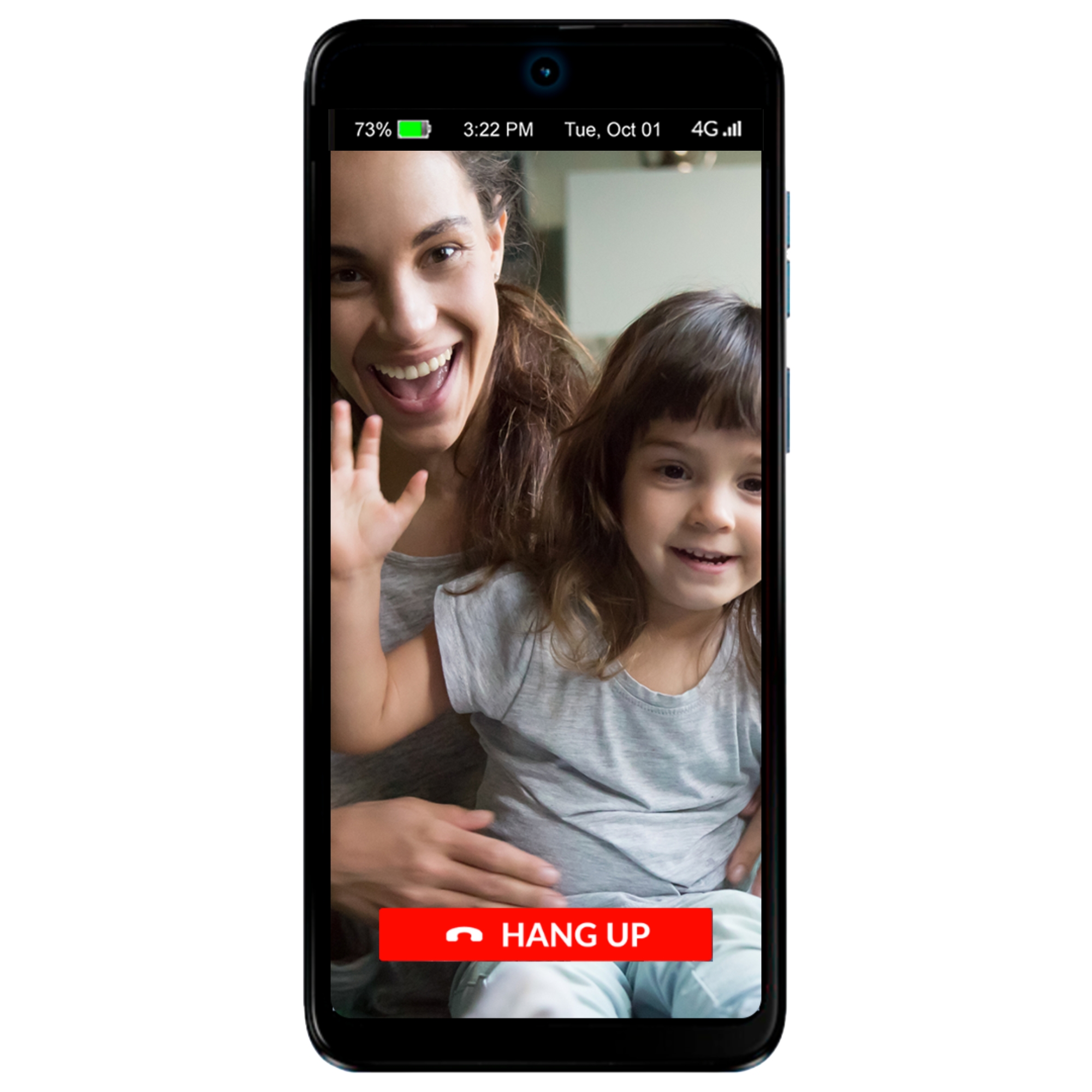
Video calls: Stay connected with your senior effortlessly. Only approved contacts can initiate video calls, not the senior.
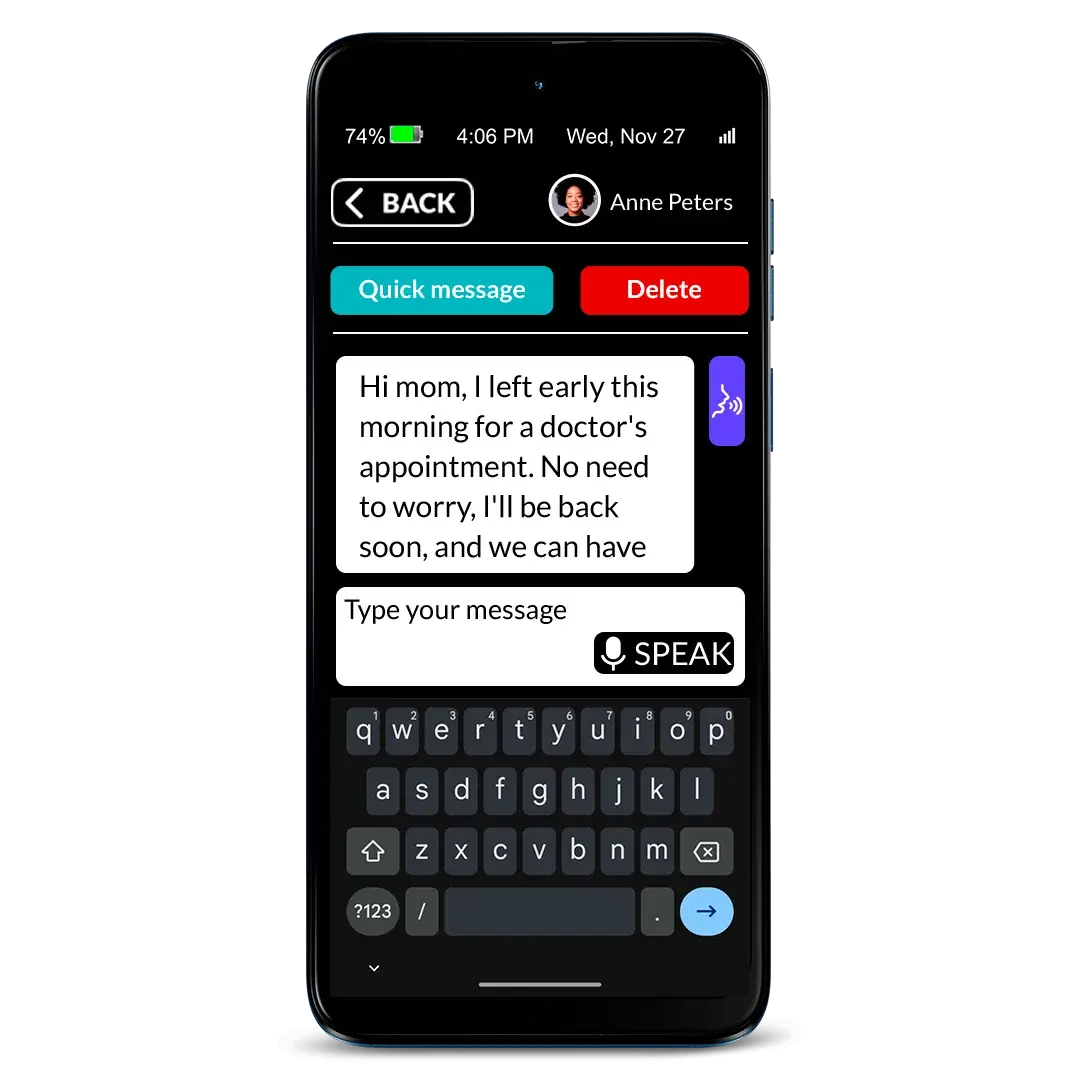
Text messaging: A simplified, customizable experience that allows seniors to send and receive text messages according to their needs and abilities, featuring super-large letters, big buttons, speech-to-text, and quick answer options. Caregivers can also control who the senior can text and who can text them. Currently, this feature does not support group messaging or the ability to share photos.
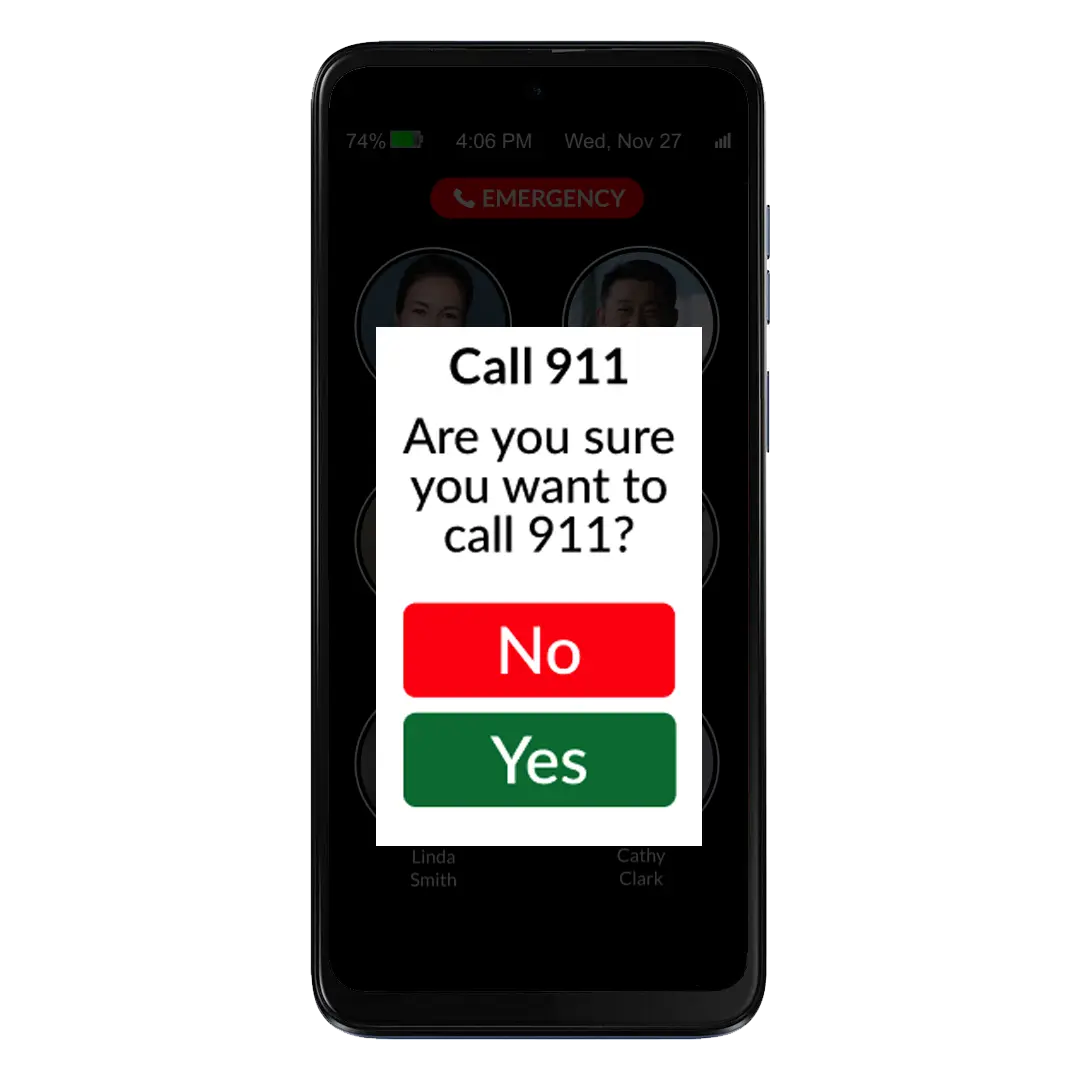
Press & hold buttons: The caregiver can choose between different press & hold methods to prevent unwanted calls. And we have added an extra layer of safety with the call confirmation screen.
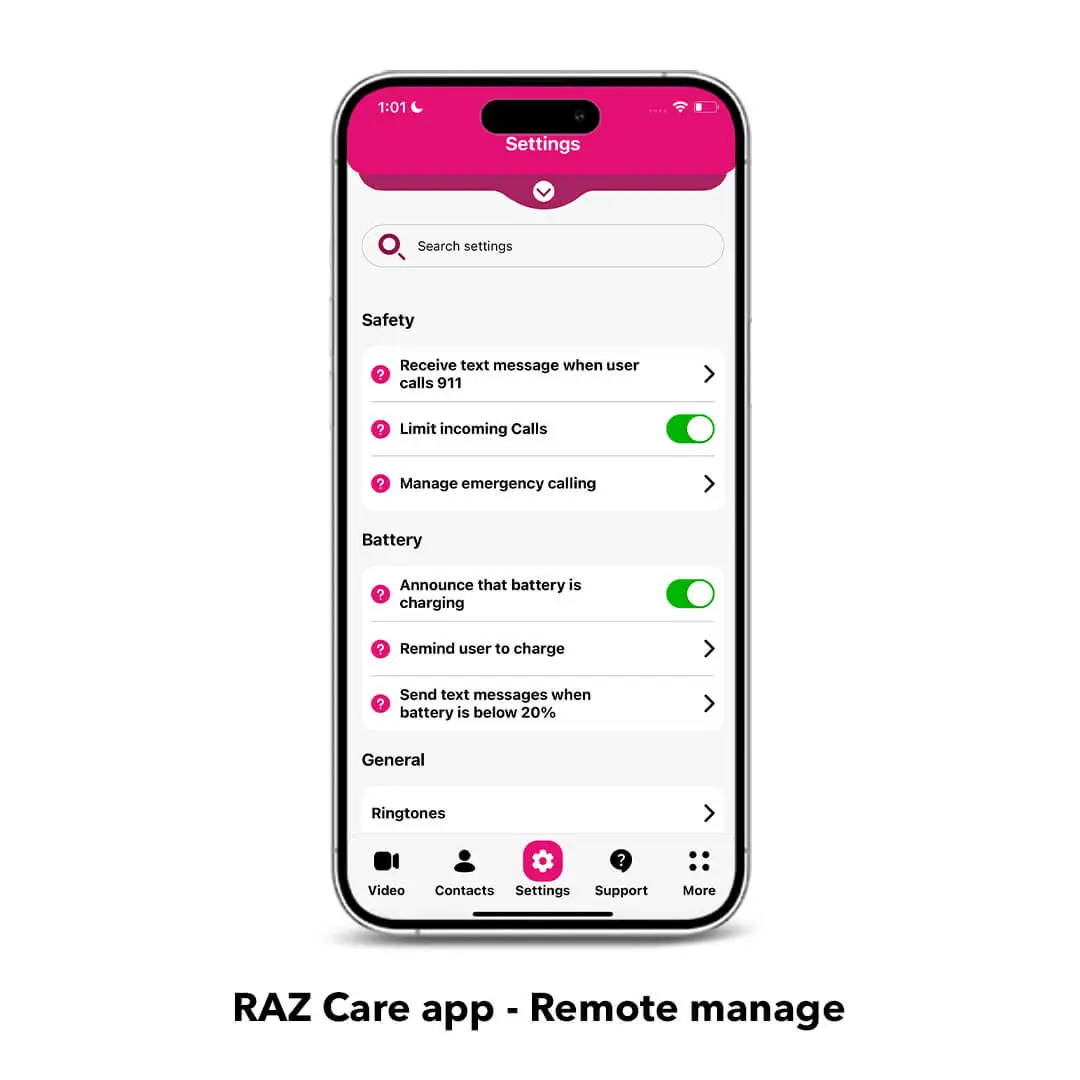
Settings are disabled for the user: ALL the settings including the volume rocker are remotely managed by the caregiver through the RAZ Care app. Caregivers can even disable the power button to avoid the phone to be accidentally turned off. This means peace of mind for the caregiver and safety for the senior.
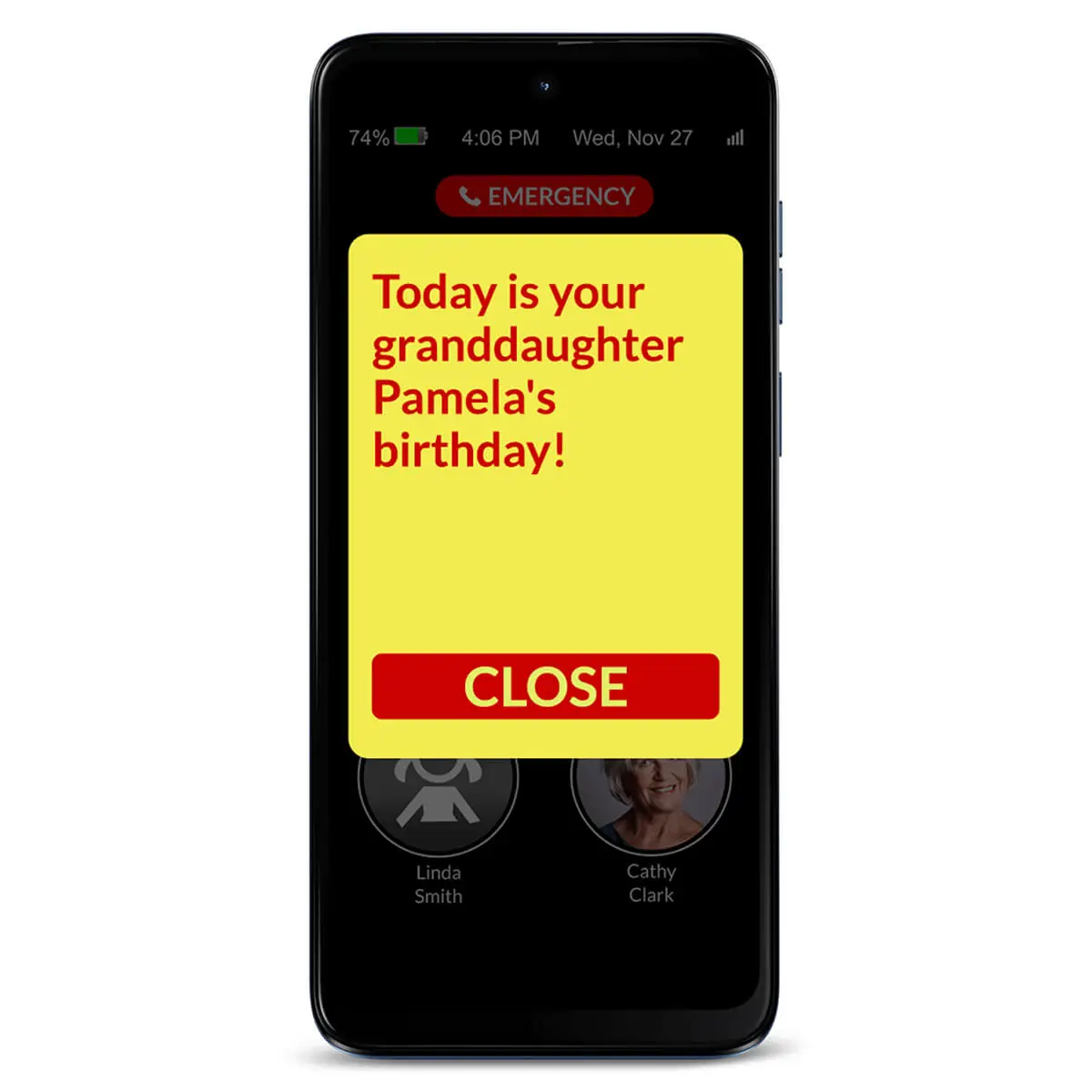
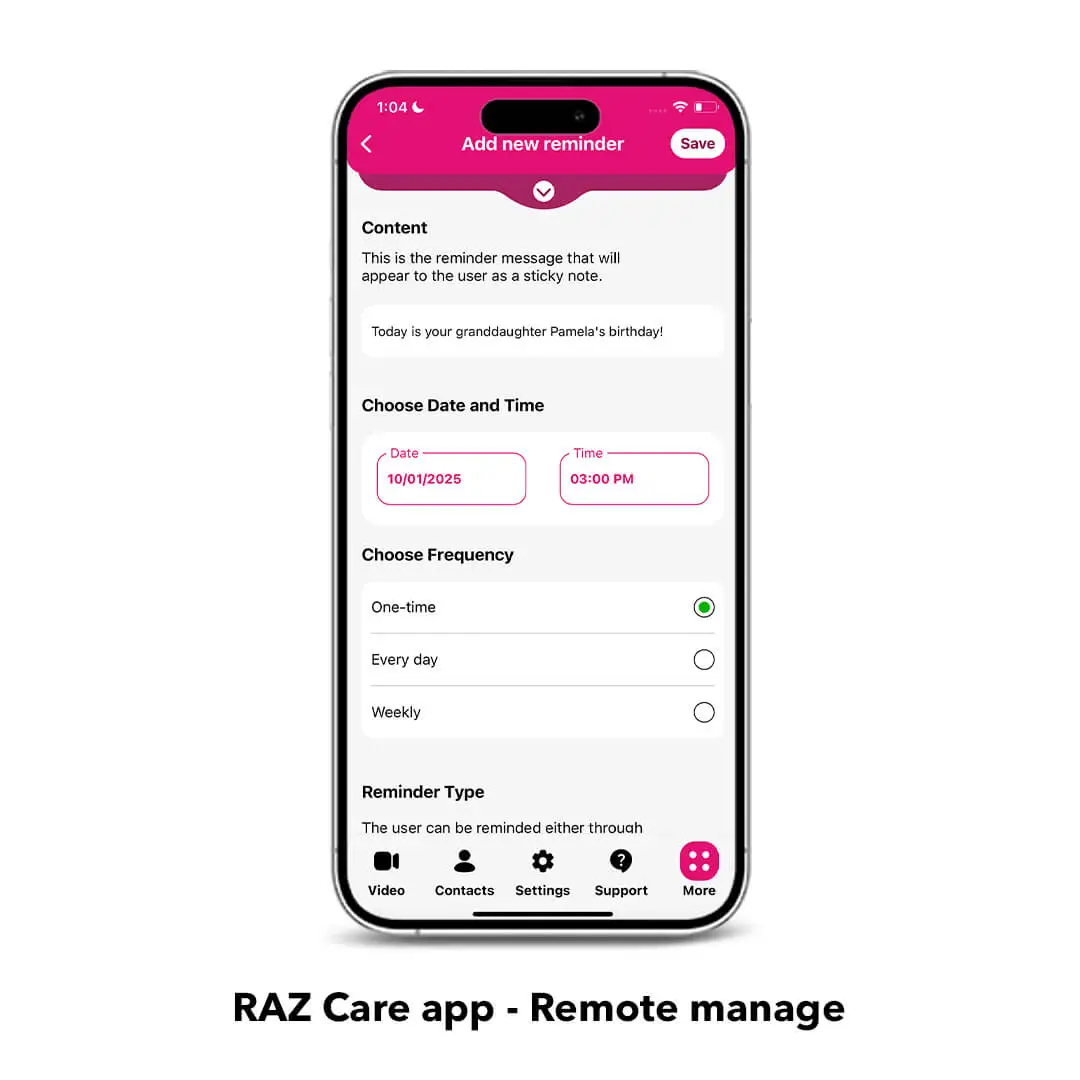
Reminders: From your own smartphone, you can send your senior reminders about medicines, appointments or important events and see if they were acknowledged. Reminder colors and font size can be customized through the RAZ Care app.
Quiet hours: Prevent your senior with dementia from calling specified contacts during certain hours of the day or in the middle of the night.
Loneliness alerts: Reduce loneliness! Receive an alert when the user does not participate in the desired number of calls.
Manage battery charging: The RAZ Memory Cell Phone provides four key charging features. Seniors can get reminders to charge the phone and will receive visual & audible confirmation when the phone is connected to the charger. Caregivers can track the remaining battery power and charging status in the RAZ Care app and receive text alerts when the battery is low.
Location tracking & Status check: With the RAZ Care app, caregivers can get peace of mind by checking the real-time status of their senior’s phone, as well as its location.
Calling emergency services: Control how users can call emergency services. Three options are available, including an option for a 911 emergency button that is always within reach for your senior’s safety.
RAZ Emergency Service: With the RAZ Emergency Service, every emergency call is routed to a private dispatch agent who assesses the situation and contacts 911 if necessary.
Calls can go automatically to Speaker mode: With this option, seniors can hear calls clearly. The RAZ Memory Cell Phone’s speaker’s loudness can reach up to 125.6dB!
Calls can be answered automatically: With the Auto-answer option, incoming calls from contacts will be answered automatically and the call will be on speaker.
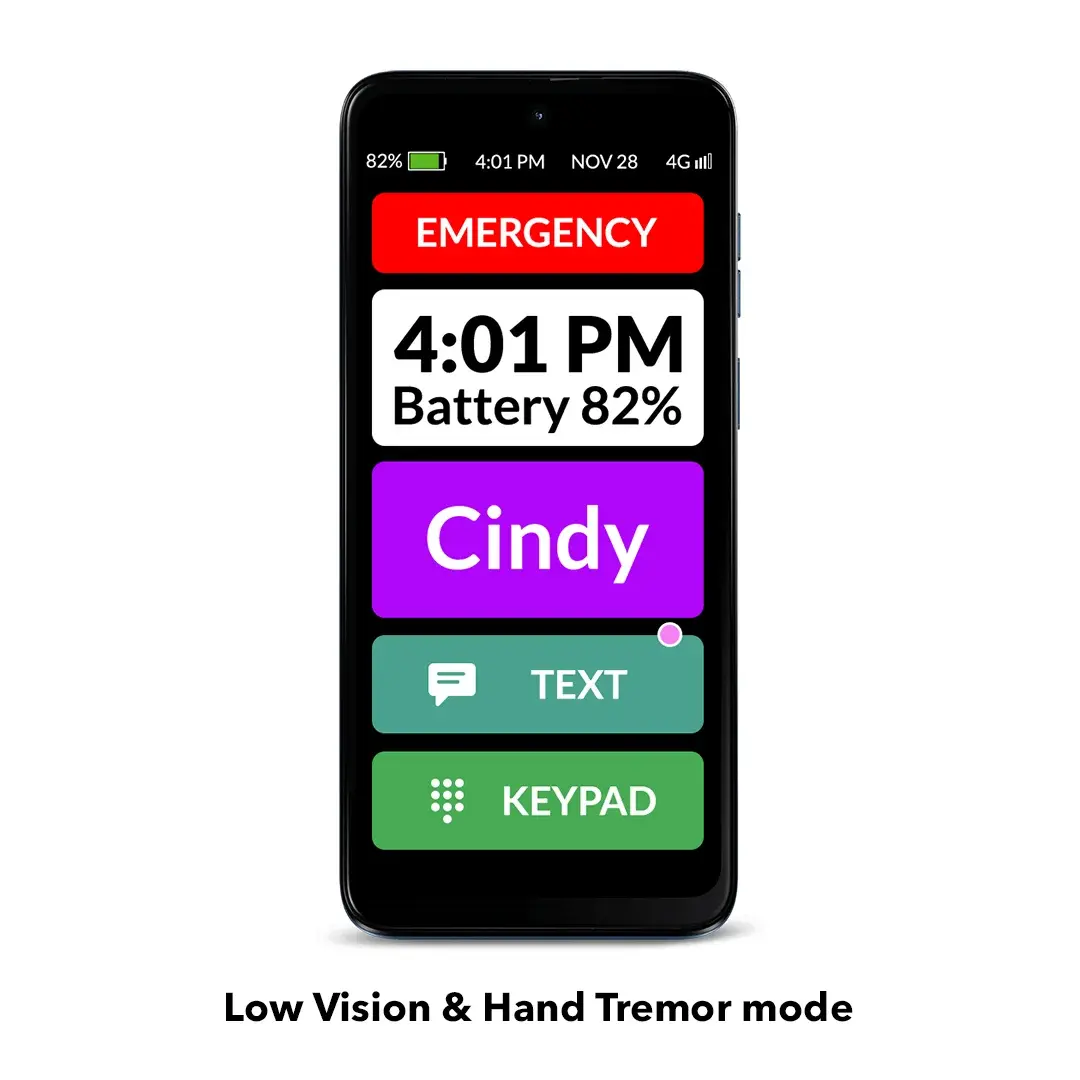
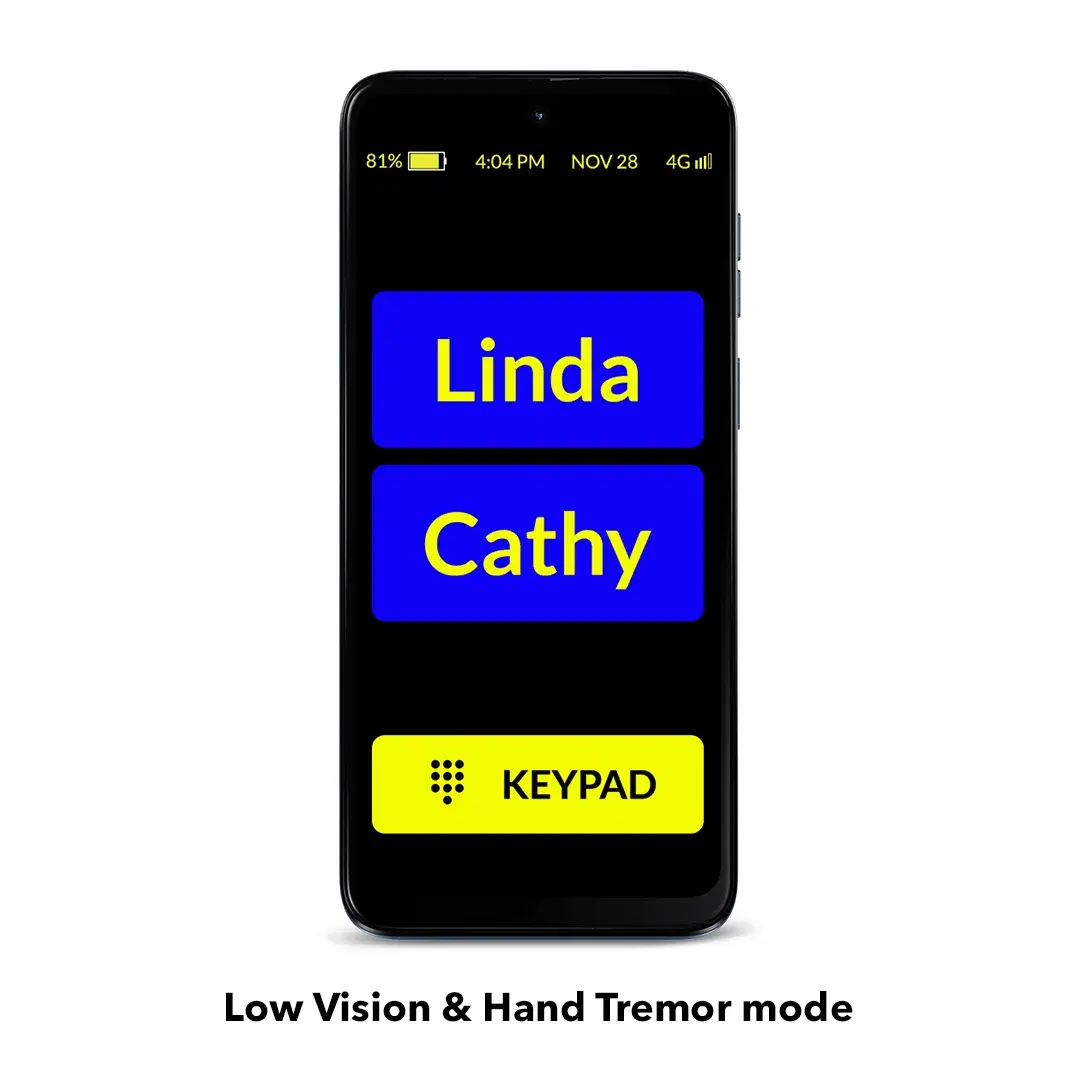
Low Vision and Hand Tremor mode: An even simpler interface with super-larger icons, fewer contacts per page and bigger buttons. You can select the color scheme and customize the contact icons for better contrast. You can also add a status tile, showing a large time and battery level. The ideal mode for those with low vision, Parkinson’s, hand tremor and others.
Wireless charging: The wireless charging set (sold separately) allows the user to easily charge the phone by placing it on the wireless charging stand or pad without the hassle of plugging in the charging cable.
Free updates: We are always looking to improve our products to make seniors’ and caregivers’ lives easier. When we launch new updates to the RAZ Memory Cell Phone, our customers get 100% free access to them.
Enhance your senior’s safety with our solutions
RAZ Emergency Service: With this subscription-based service, emergency calls are connected to a highly trained agent to help the senior through their problem. The agent will have access to the senior’s location and other helpful information provided by the caregiver. Text messages will be sent to emergency contacts, providing the opportunity to interact directly with the agent to assess the nature of the emergency and provide input. The RAZ Emergency Service helps avoid up to 95% of unnecessary emergency calls.
RAZ Alert: Respond more quickly to your senior’s emergencies. When your senior calls 911, receive a text message alerting you to the call. Up to 3 people can receive the 911 text message alert. There’s no additional cost for this feature.
Auto Answer: If your senior is not answering the phone and you believe that they might be experiencing an emergency, you can activate the Auto Answer feature in the RAZ Care app. When you call, the RAZ Memory Cell Phone will answer automatically after 4 or 5 rings and go to speakerphone. This is a great safety feature if your senior has fallen, for example, and can’t get to the phone! There’s no additional cost for this feature.
And there’s more!
A variety of useful RAZ Memory Cell Phone accessories, such as wireless charging sets and protective cases, are available here.
Receive 3 months of FREE wireless service from Affinity Cellular with your purchase! Affinity Cellular operates on Verizon, America’s most reliable network. Only $20 per month thereafter.
Free protection plan
In case your RAZ Memory Cell Phone is damaged within the first 12 months of use due to accidental drops or water (excluding loss or theft), we will offer you a replacement for $175 only. This applies if you purchased a protective case with the original phone. To get the replacement, you will need to return the damaged phone to RAZ Mobility.
Want to learn more about the RAZ Memory Cell Phone? Click here.




Shannon Picchione (verified owner) –
I bought this for my dad who is 87 and has dementia. His smart phone with all the apps was difficult to use so it was hard for him to make calls and answering calls took a lot of effort, so it was time to simplify. I did a search and RAZ mobility popped up with great reviews and affordable and it was the best decision. Dad has 5 children and a brother that he barely talked to because it took so much effort, but since we got the RAZ phone, he talks to all of us daily just for a few minutes. He sometimes would confuse his phone for the remote and make early morning calls, with the quiet time function, that is now under control. No more spam calls that just confuse him, it is perfect and we are all very happy with the choice! I highly recommend!
Paul Young (verified owner) –
Very slow touch reaction for a new phone. There is no option to hide the display. If it would timeout after so long and they could wake it up by touching it would be a good feature setting if needed. Not a bad phone for my elderly father with Dimentia, but better than he had.
RAZ Mobility Team –
Hi Paul,
It’s possible that you are using the Tap & hold activation method. Through the RAZ Care app, you can test and set three others: Single tap, Double tap and Tap & hold long.
To prevent the phone’s screen from being always on, you can enable the Auto-lock feature in the RAZ Care app. When Auto-lock is on, the phone’s screen will go dark after a few minutes of inactivity, and will wake up with movement (no swiping or password needed).
If you need any extra help, please feel free to reach out to our Support team at 800-729-0083. We’ll be glad to assist you!
Emory –
I like the phone, its a good size and provides a better experience than a basic phone but not as problematic as a smart phone. The only thing I noticed was that it stays illuminated virtually continuously, but that hasn’t really made a bit difference in it’s run time compared to her old iphone. The main reason I switched was that my 90 year old mother got to the point where she would get confused on the iphone with all the swiping up and down and left and right, she kept opening the camera and not knowing how to close it. This phone solves all of that and makes her favorite contacts right at hand.
RAZ Mobility Team –
Hi Emory,
Thank you for your feedback and kind words! We’re glad to hear that the RAZ Memory Cell Phone has solved so many problems for your mother.
To prevent the phone’s screen from being always on, you can enable the Auto-lock feature in the RAZ Care app. When Auto-lock is on, the phone’s screen will go dark after a few minutes of inactivity, and will wake up with movement (no swiping or password needed).
If you need any extra help, please feel free to reach out to our Support team. We’ll be glad to assist you!
KD (verified owner) –
I have been waiting for a phone like this for my mother. THANK YOU! She has never had a smart phone, only a flip phone. It was a nightmare, everyday turning off her phone by accident, turning off the volume all the time. She lives on her own and had a fall when she would accidently turn off her phone we worried. I kept saying please someone make a phone easy for seniors. This is the BEST invention since sliced bread. My mom has had it for a few weeks now and loves it no more issues. She simply touches her contacts faces on the screen. It is So easy we also purchased the phone case cover, that hides the volume button so she cannot longer turn her volume down. If you are thinking of getting this phone, Do it! It is better than we could have imagined, and the app to see all her stuff is just perfect. Love the ability to use the app to update her phone if needed. THANK YOU SO MUCH!!!!
Susan (verified owner) –
Very pleased with the phone. Senior has been scammed in the past by callers and this phone on allows only caregiver designated people to call her. A number of the features are very useful like using photos for calling, being able to see who my senior has called and who called her, getting text notices when she called 911, ability to move 911 to another location, quiet time settings, ability to see battery charge level, etc. This is the perfect phone for our senior.
Consideration for updating, would like get a notice if she reads my text messages, and allow limited pictures and group texting within reason.
Debbie Eller (verified owner) –
The phone is a great invention and perfect for my 92 year old mom with dementia and poor vision. The instructions were easy to understand and set up, and lots of options are available for setup.
The few issues we have had are the charging pad usually takes 5 or 6 tries with the case we ordered from RAZ to operate, and there is no rhyme or reason to it. Also, the phone ringtone changes itself from time to time and, as her caregiver, I have to change it back to the one I chose occasionally. Thank you for this phone! Mom was accepting so many scam calls every day, and none now is a blessing!
RAZ Mobility Team –
Hi Debbie,
Thank you so much for your kind words!
We’re super happy to hear that your mom has adapted well to the RAZ Memory Cell Phone and that it completely eliminated scam calls.
We hope you both enjoy all the phone has to offer. If you need any assistance, please feel free to reach out to our Support team at 800-729-0083. We’ll be glad to help!
Ken (verified owner) –
Easy set-up and perfect for my wife’s condition.
Twala (verified owner) –
Over all good but still would like some more options for the caregiver based on the needs of the user. Such as allowing the user to mute the ring in public situations such as church and ability for the user to have more than 50 contacts.
RAZ Mobility Team –
Hi Twala,
Thank you for your feedback!
The volume rocker on the RAZ Memory Cell Phone is disabled by default because many seniors end up turning it down accidentally, or do not know how to turn it back up.
However, in the RAZ Care app you can remotely adjust the ringtone volume, which can be ideal for public situations.
We noticed that you’ve left another review, so we’ll take the opportunity to cover everything in the same response.
Regarding the Missed calls indicator, in case it’s been frustrating for your mom, you can disable this feature remotely in the RAZ Care app, so the dots won’t appear next to the contacts when there are missed calls.
If you need any help or have more feature suggestions, please feel free to reach out to our Support team at 800-729-0083. We’ll be glad to assist you!
J Bj (verified owner) –
I researched multiple phones, and based on my research, the RAZ seemed the most simplistic and straightforward phone for seniors. My mother is 89 and is confused by electronics. I really like the simple act of touching the contact photo, makes her call. Answering and hanging up is easy to see and understand. We found the automatic phone pick up is another fantastic feature that she really likes. She is so easily confused, this phone takes much of the guess work out. I love the fact I can remotely change settings, add contacts, and an added benefit of GPS tracking to name just a few. What a simple to use and straightforward phone. She loves it, I love it. So happy I chose this for her. Set up was super simple and once I added the SIM card she was automatically signed up to her existing carrier and phone number was active. No trip to the carrier store or call in for assistance needed, that was a first!
Becky (verified owner) –
This phone is working great for my 90+ parents. The phone is simple and easy to use. They really need that since their old smartphones became too complicated for them to use. The caregiver app is really easy to use. Also, the video tutorials are great – really helpful. I also called for support prior to buying them and the person was really knowledgeable and answered all my questions. Highly recommend.