Description
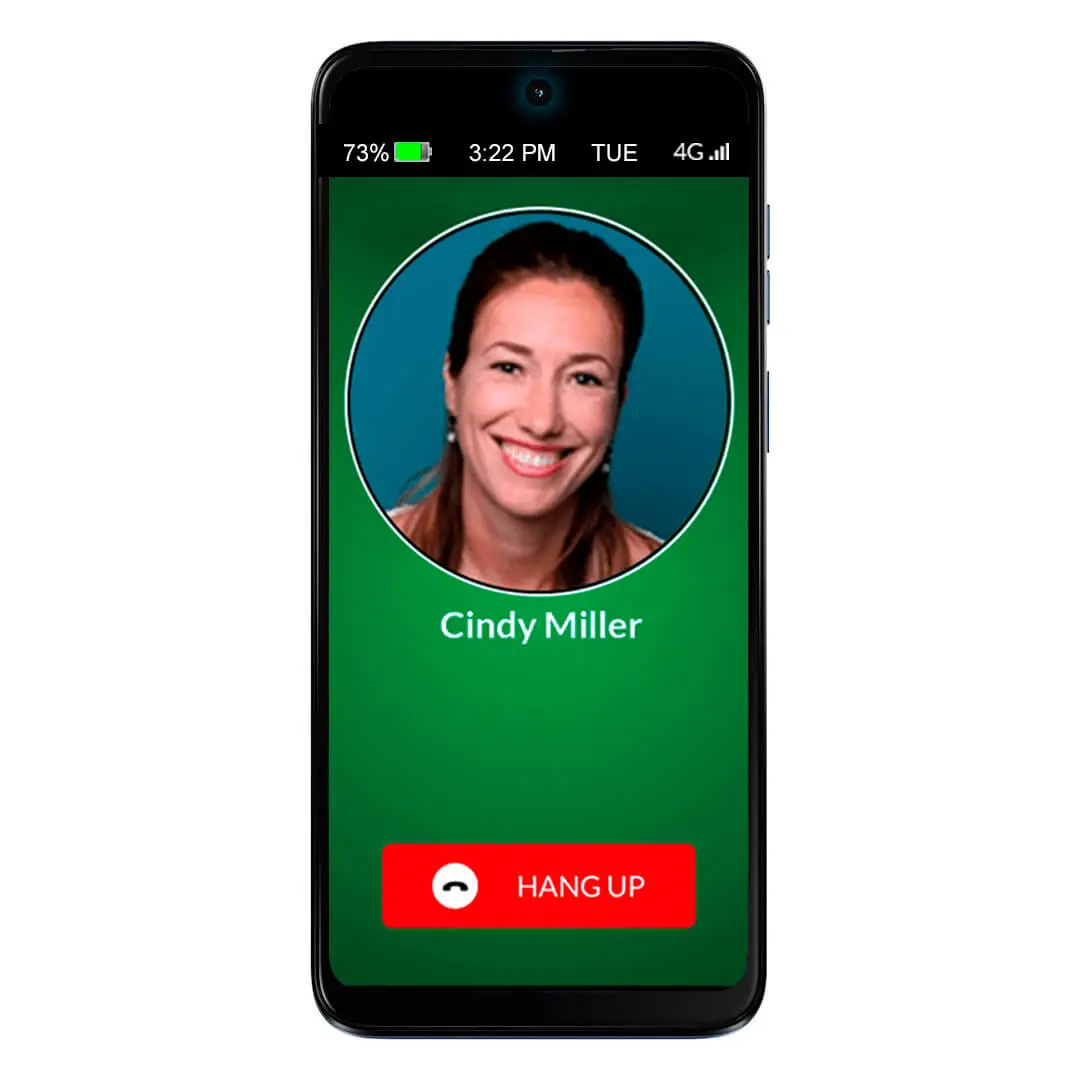
The award-winning RAZ Memory Cell Phone is an easy-to-use, groundbreaking cell phone for people with memory loss, dementia, Alzheimer’s, stroke, low vision, Parkinson’s or seniors who prefer an intuitive experience. The phone consists of one primary screen and one screen only. It allows seniors to stay connected with friends and family through regular phone calls, video calls and text messages, while allowing the caregiver to manage the phone from afar.
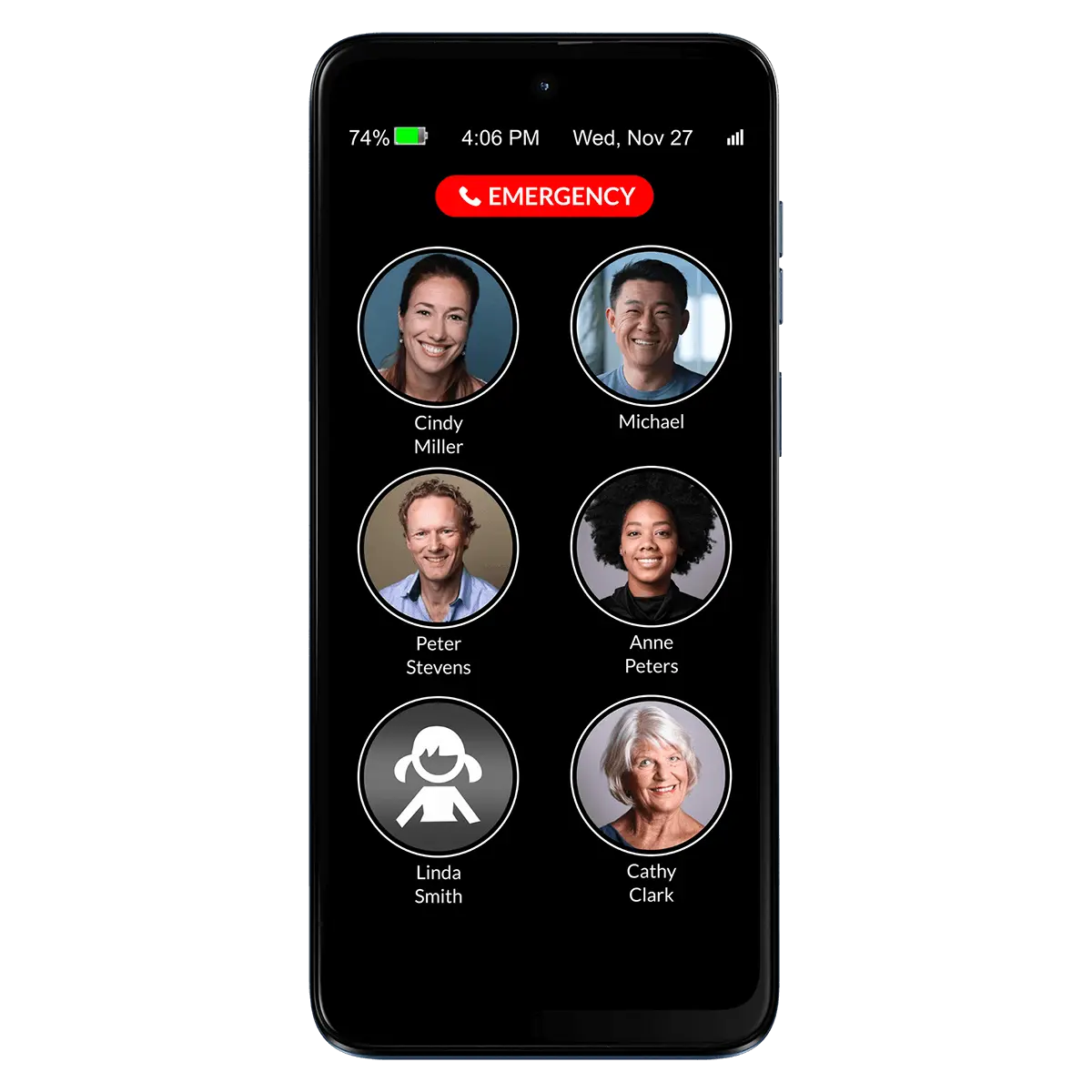
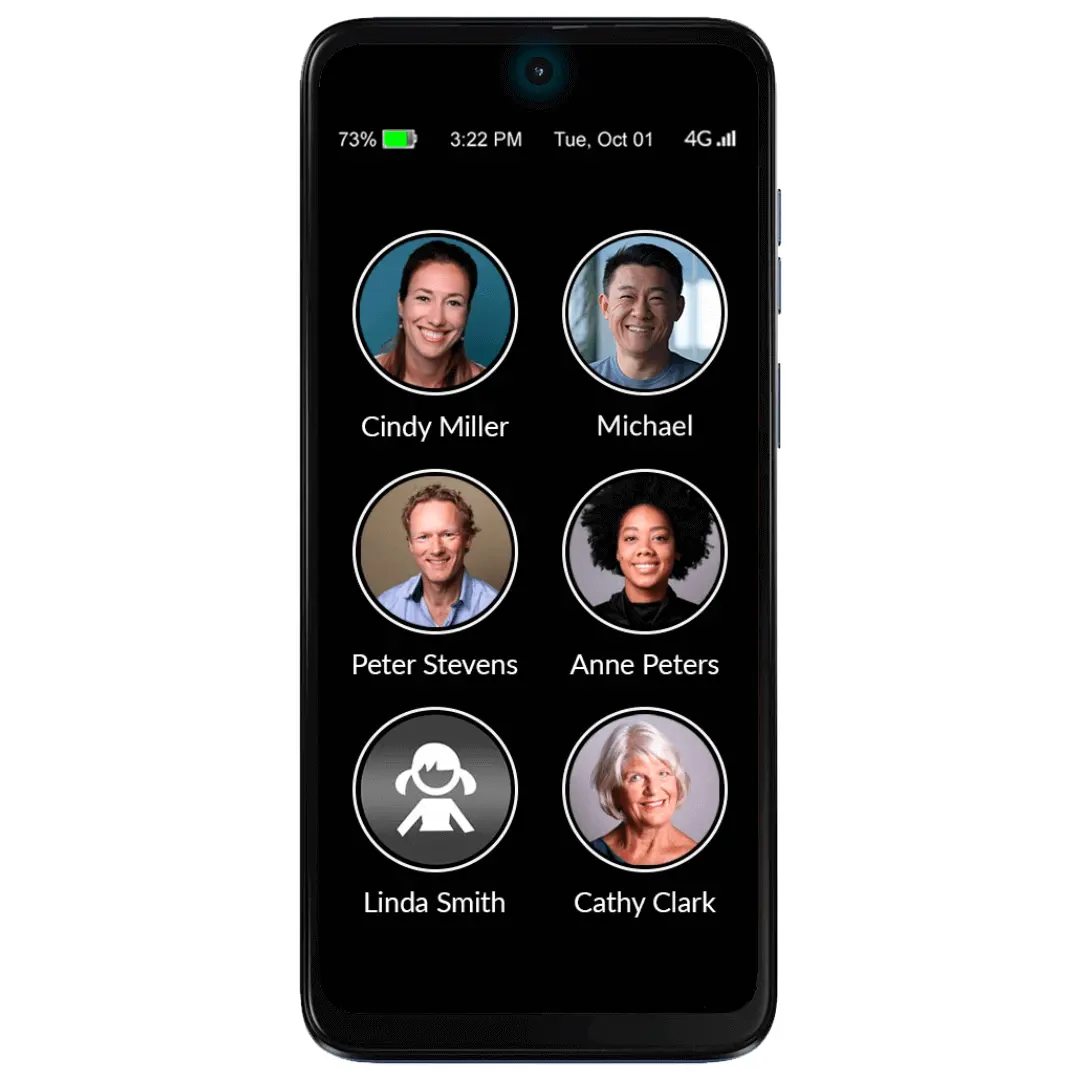
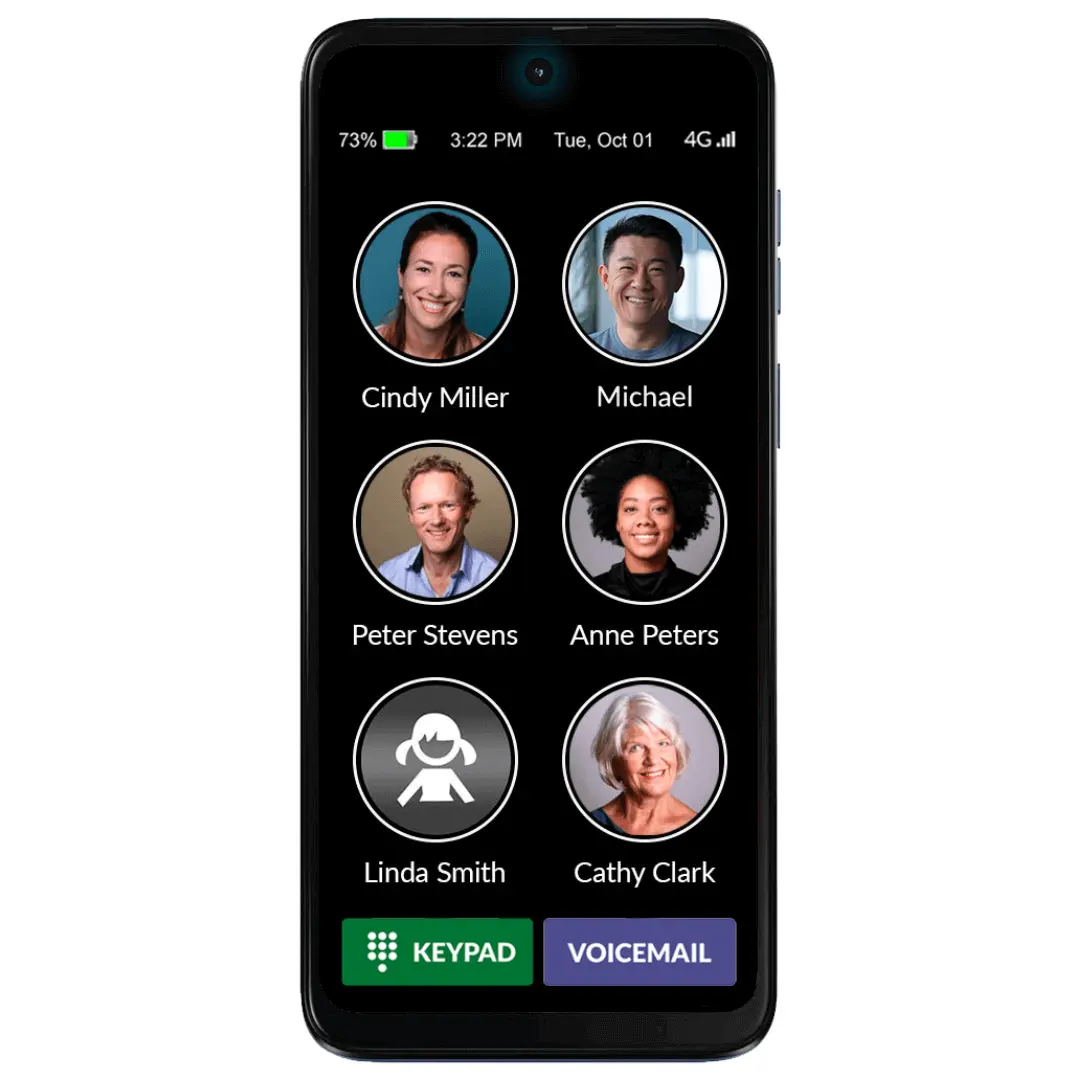
The single screen includes three elements:
- Photos and names of up to fifty contacts with six large icons per page;
- An optional 911 button or the alternative RAZ Emergency Service subscription;
- Optional information such as date & time, day of the week, battery power and signal strength.
The RAZ Memory Cell Phone does not exit the home screen. This prevents users from getting confused in the normal smartphone environment. Even the power button can be disabled.
The display, which is a large 6.5 inches, does not time out. It can remain always-on or go dark after 2 minutes and wake up with movement. At your option, incoming calls can be restricted to those coming from Contacts, eliminating undesirable predatory calls.
With a relentless focus on being extremely intuitive and easy to use, the RAZ Memory Cell Phone requires only a simple tap to place and answer calls. The caregiver also has the option to adapt the call activation method to the option that best suits their senior’s needs and ability.
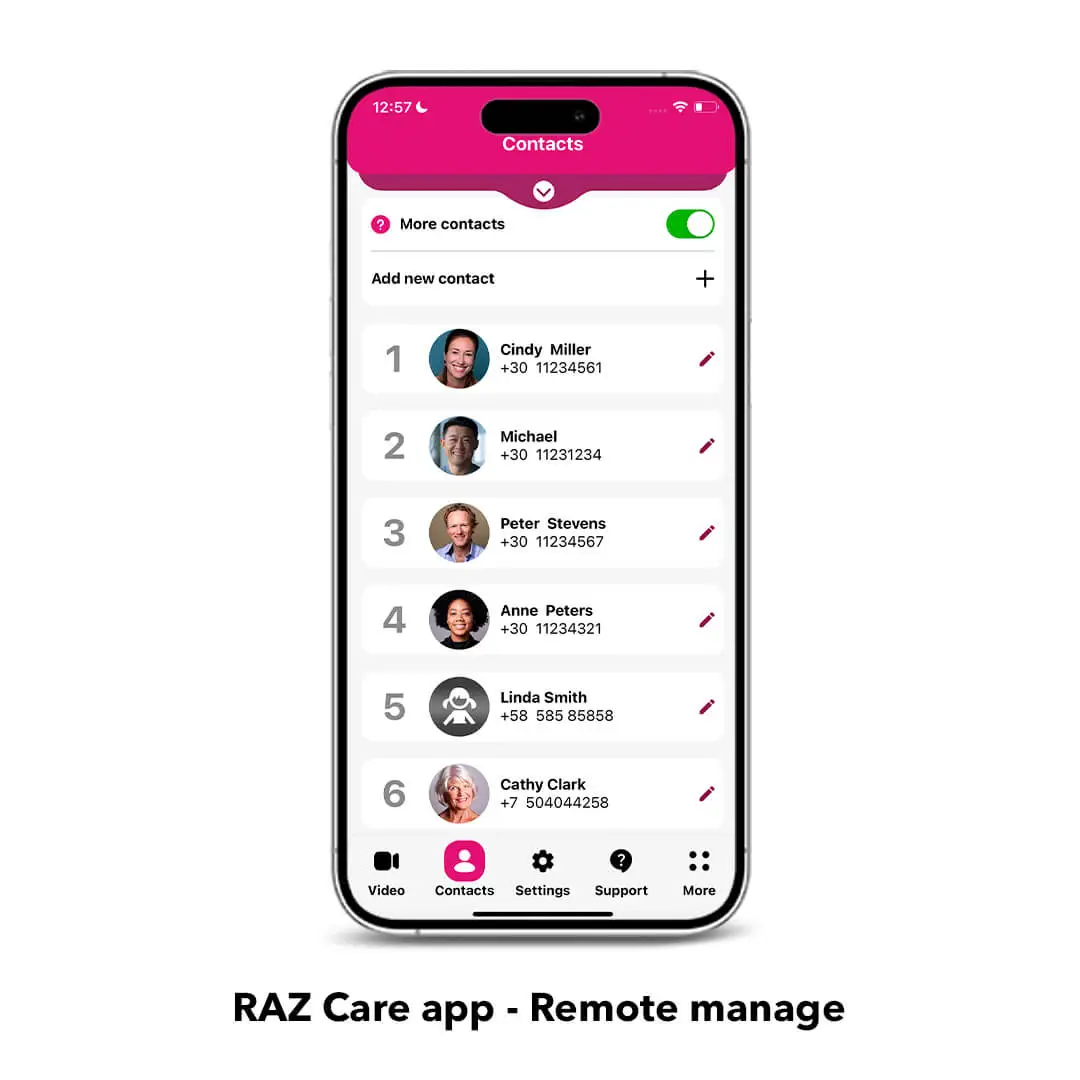
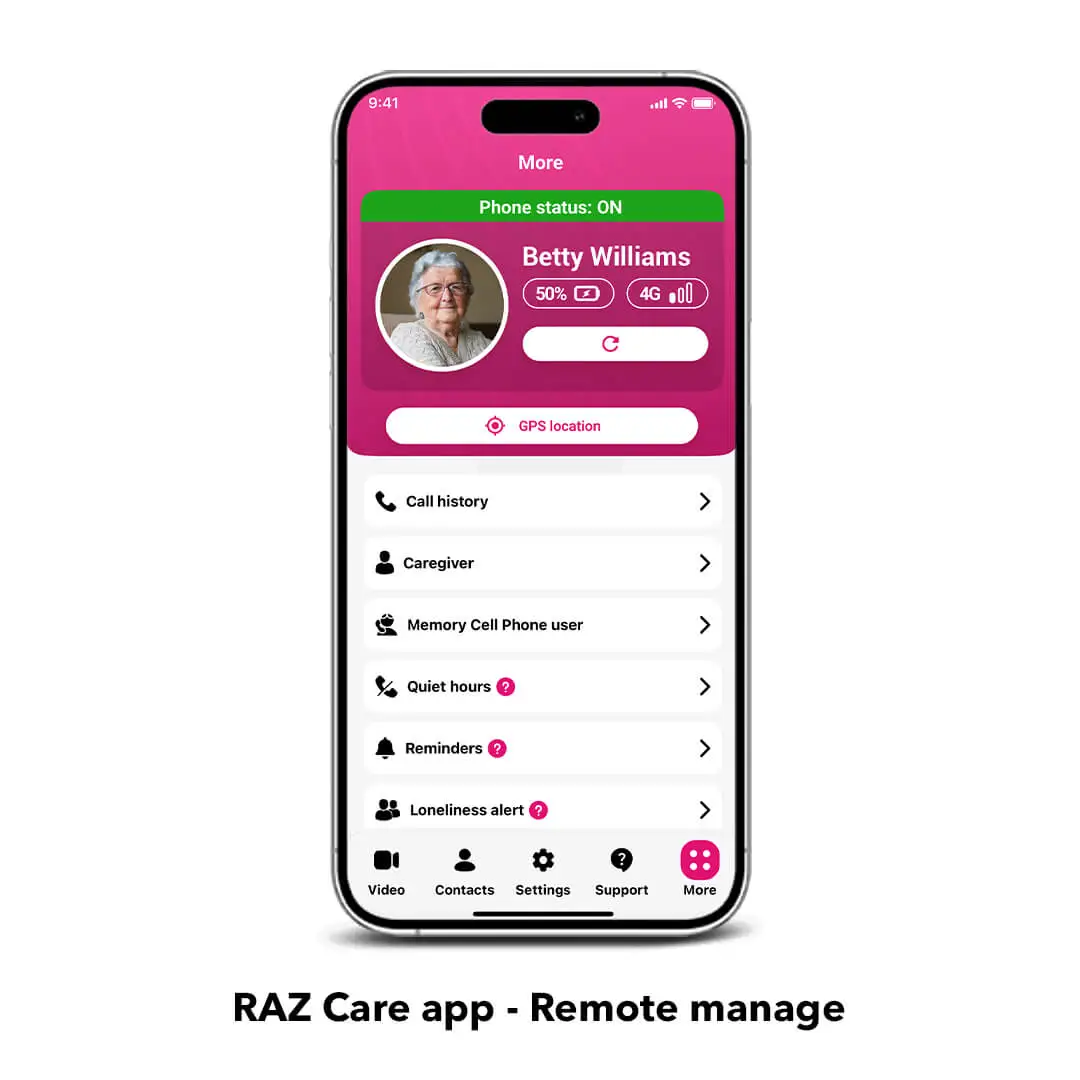
Remote Manage provides caregivers the unprecedented ability to remotely control ALL aspects of their senior’s cell phone through a simple app. Create and edit contacts, manage settings, access the phone information and much more from your own smartphone (iPhone or Android).
Key features:
Phone calls: Place and answer calls with a simple tap allowing the senior to stay connected with friends and family. The caregiver can manage the contacts with the RAZ Care app.
Block unwanted incoming calls: Avoid scams and robocalls with this essential feature that allows incoming calls only from contacts, enhancing your senior’s safety.
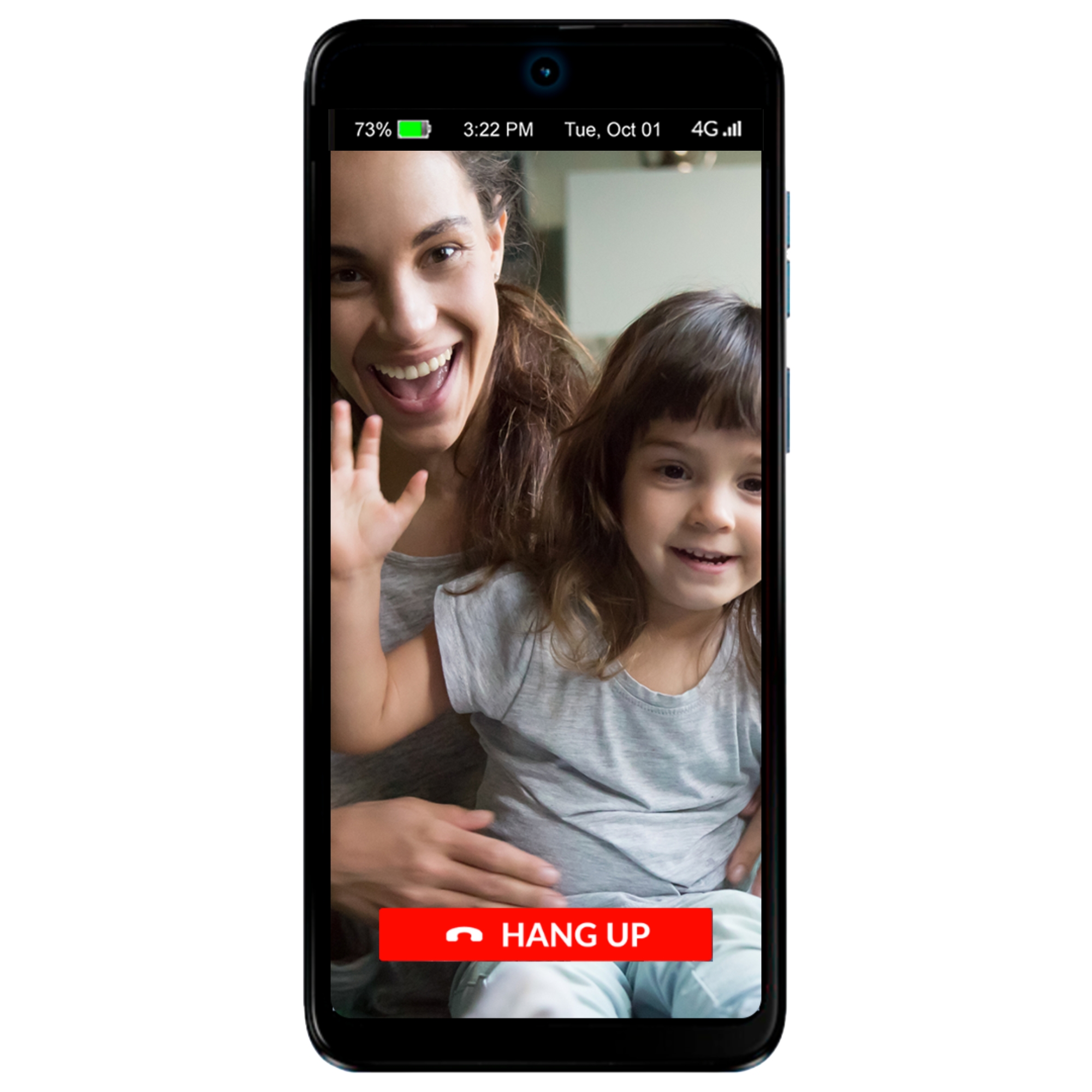
Video calls: Stay connected with your senior effortlessly. Only approved contacts can initiate video calls, not the senior.
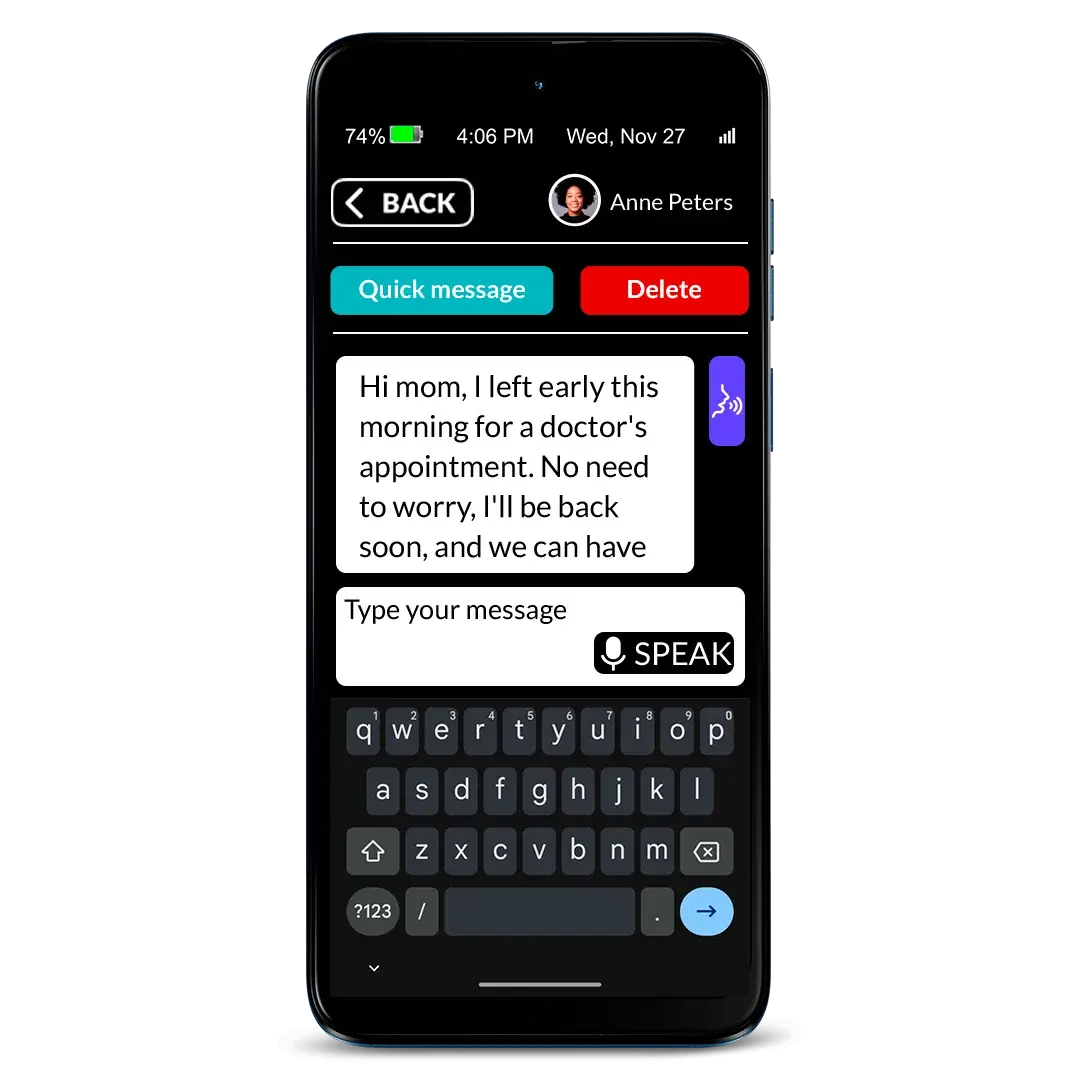
Text messaging: A simplified, customizable experience that allows seniors to send and receive text messages according to their needs and abilities, featuring super-large letters, big buttons, speech-to-text, and quick answer options. Caregivers can also control who the senior can text and who can text them. Currently, this feature does not support group messaging or the ability to share photos.
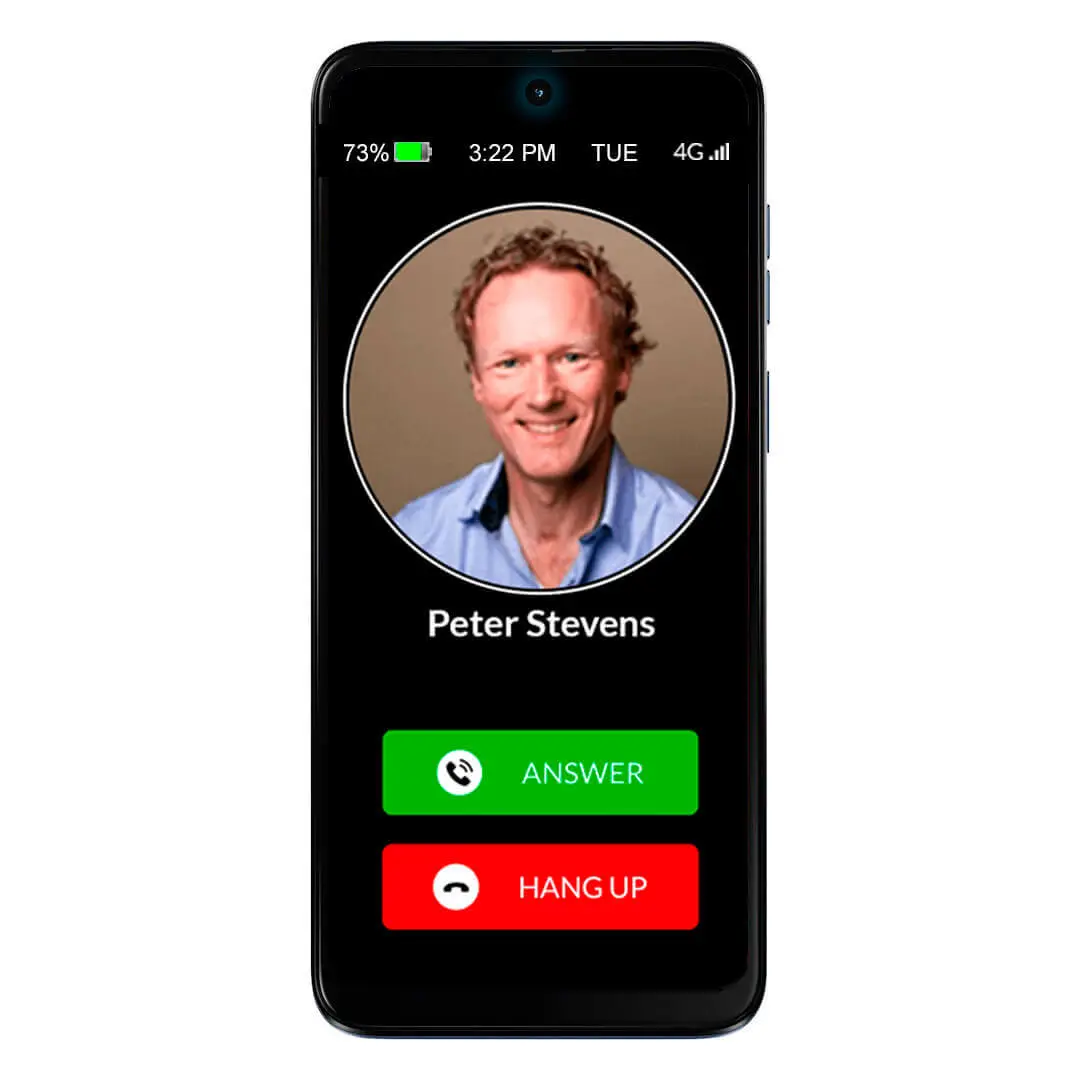
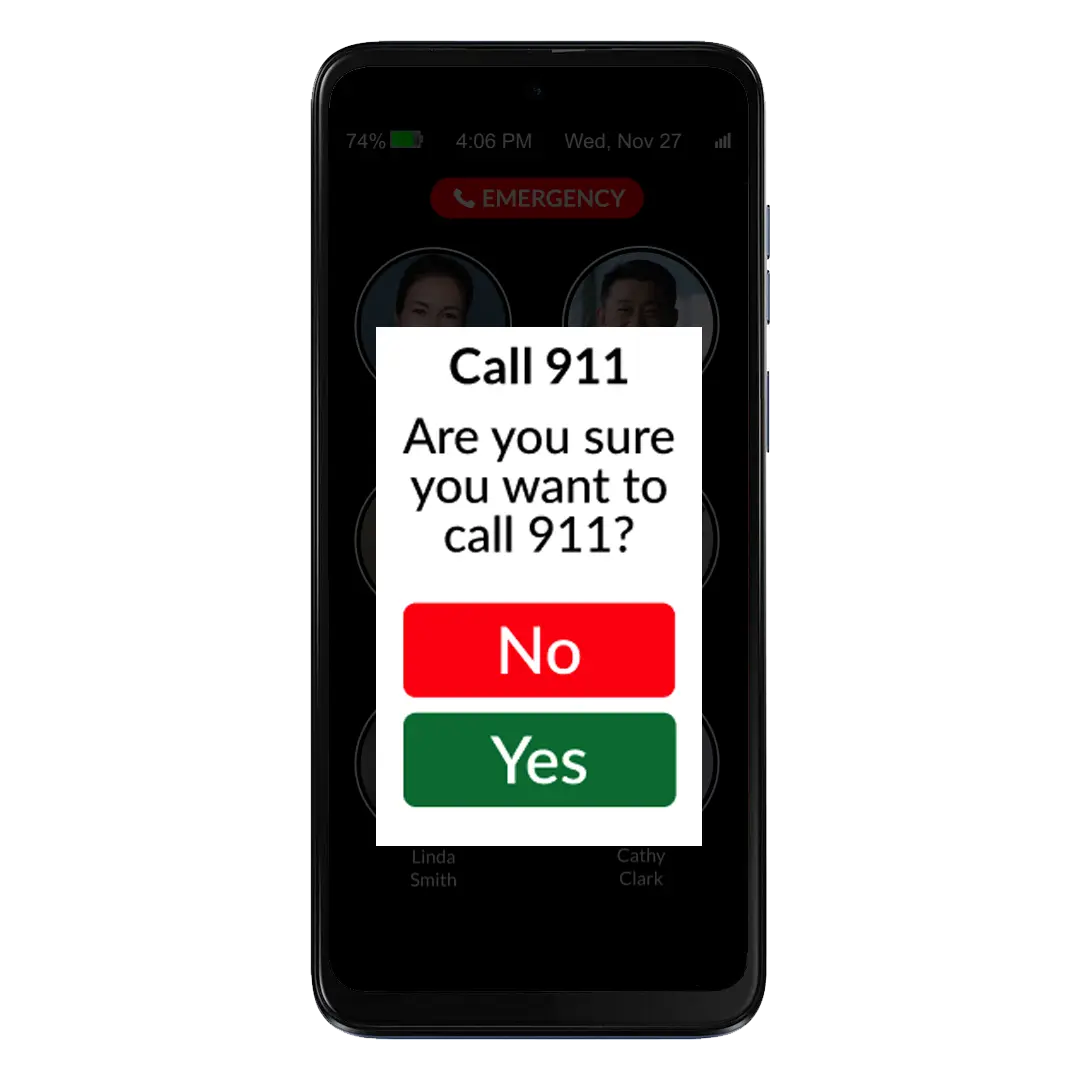
Press & hold buttons: The caregiver can choose between different press & hold methods to prevent unwanted calls. And we have added an extra layer of safety with the call confirmation screen.
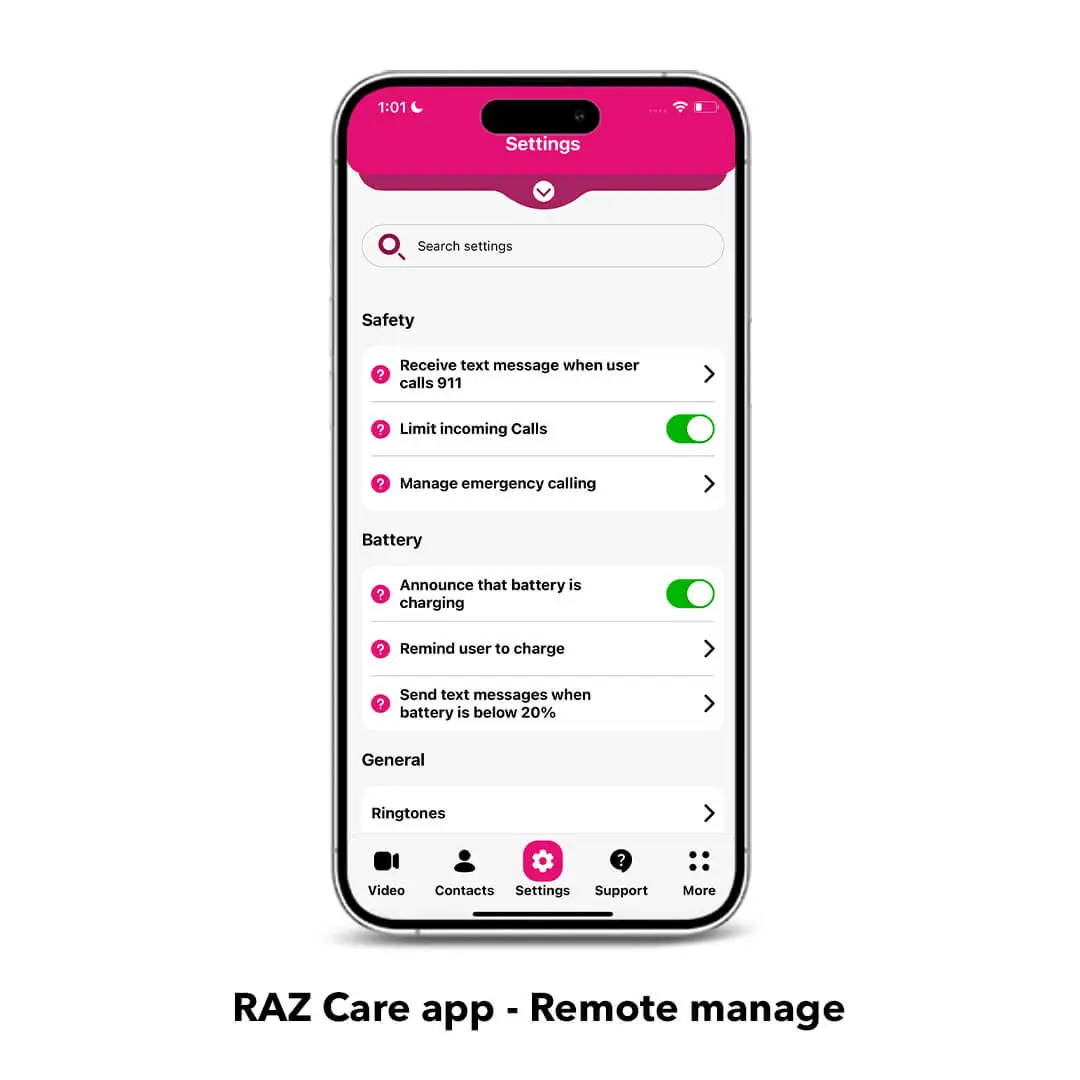
Settings are disabled for the user: ALL the settings including the volume rocker are remotely managed by the caregiver through the RAZ Care app. Caregivers can even disable the power button to avoid the phone to be accidentally turned off. This means peace of mind for the caregiver and safety for the senior.
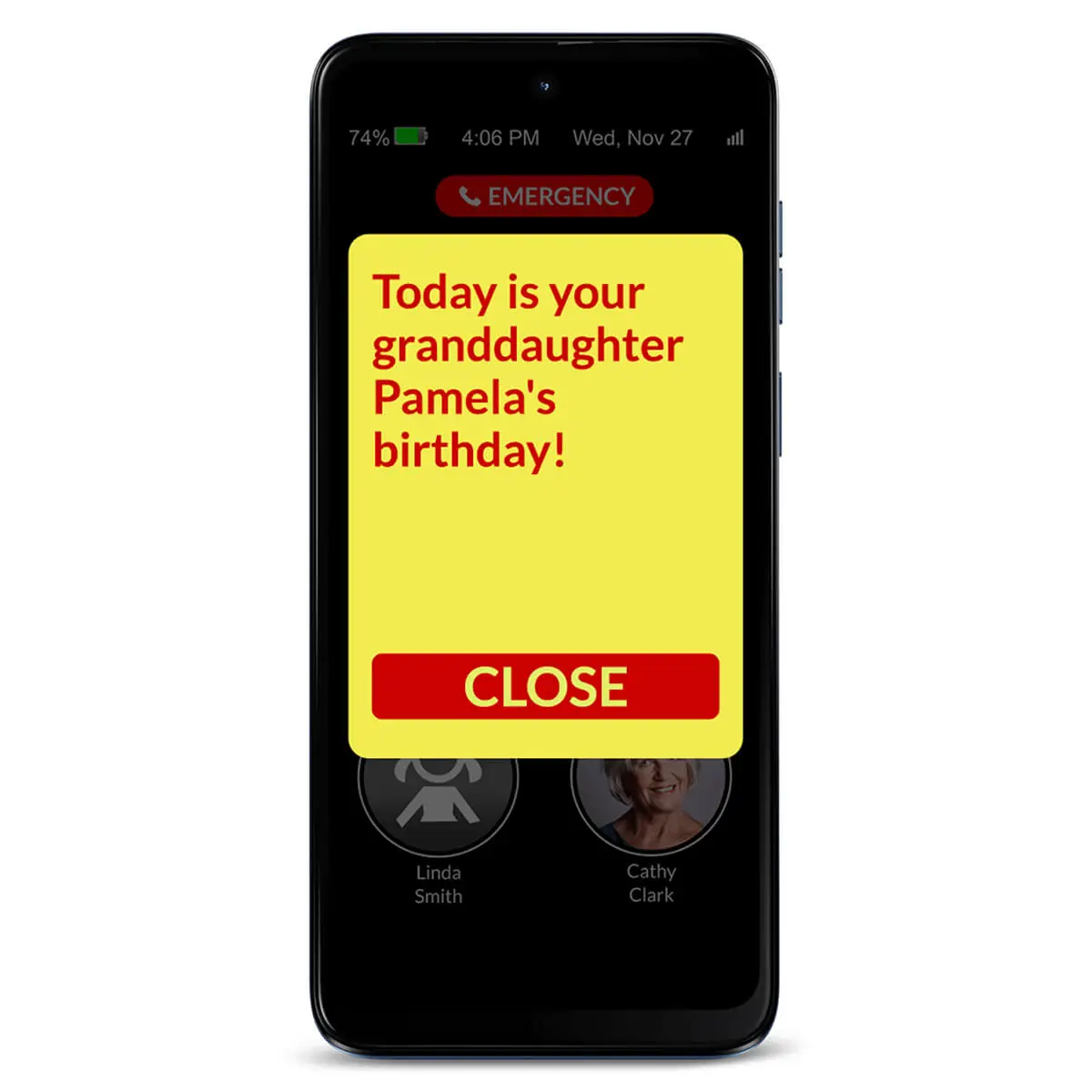
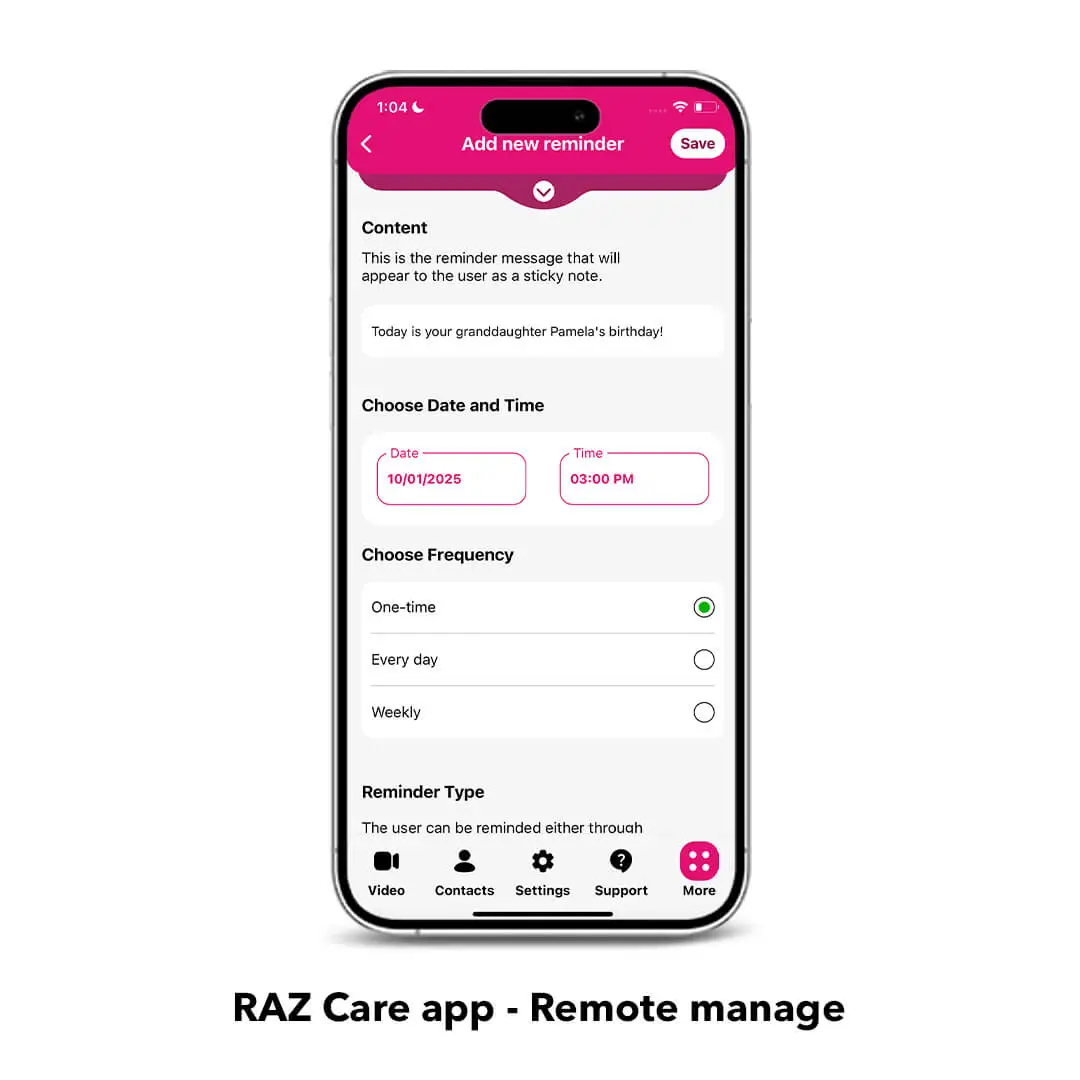
Reminders: From your own smartphone, you can send your senior reminders about medicines, appointments or important events and see if they were acknowledged. Reminder colors and font size can be customized through the RAZ Care app.
Quiet hours: Prevent your senior with dementia from calling specified contacts during certain hours of the day or in the middle of the night.
Loneliness alerts: Reduce loneliness! Receive an alert when the user does not participate in the desired number of calls.
Manage battery charging: The RAZ Memory Cell Phone provides four key charging features. Seniors can get reminders to charge the phone and will receive visual & audible confirmation when the phone is connected to the charger. Caregivers can track the remaining battery power and charging status in the RAZ Care app and receive text alerts when the battery is low.
Location tracking & Status check: With the RAZ Care app, caregivers can get peace of mind by checking the real-time status of their senior’s phone, as well as its location.
Calling emergency services: Control how users can call emergency services. Three options are available, including an option for a 911 emergency button that is always within reach for your senior’s safety.
RAZ Emergency Service: With the RAZ Emergency Service, every emergency call is routed to a private dispatch agent who assesses the situation and contacts 911 if necessary.
Calls can go automatically to Speaker mode: With this option, seniors can hear calls clearly. The RAZ Memory Cell Phone’s speaker’s loudness can reach up to 125.6dB!
Calls can be answered automatically: With the Auto-answer option, incoming calls from contacts will be answered automatically and the call will be on speaker.
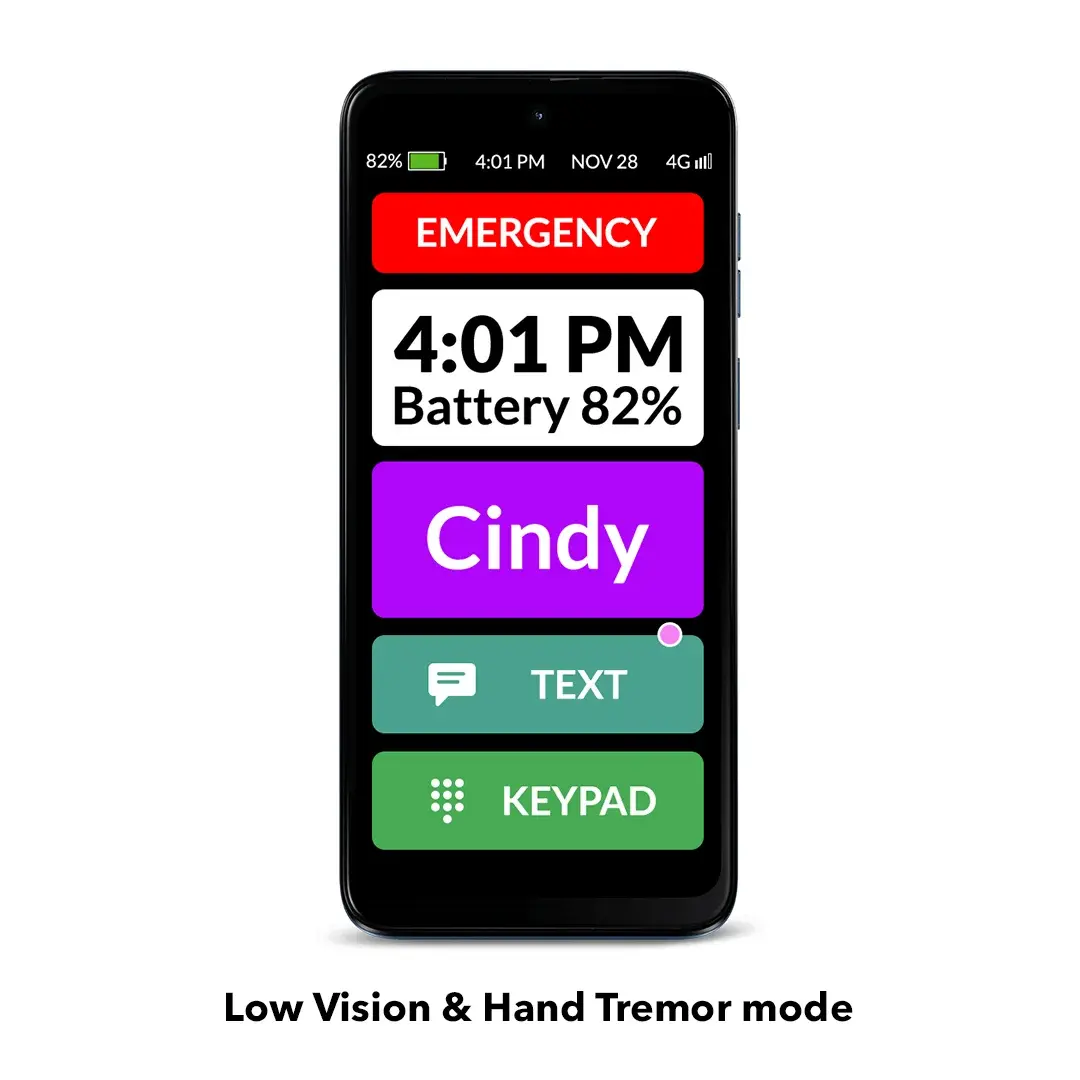
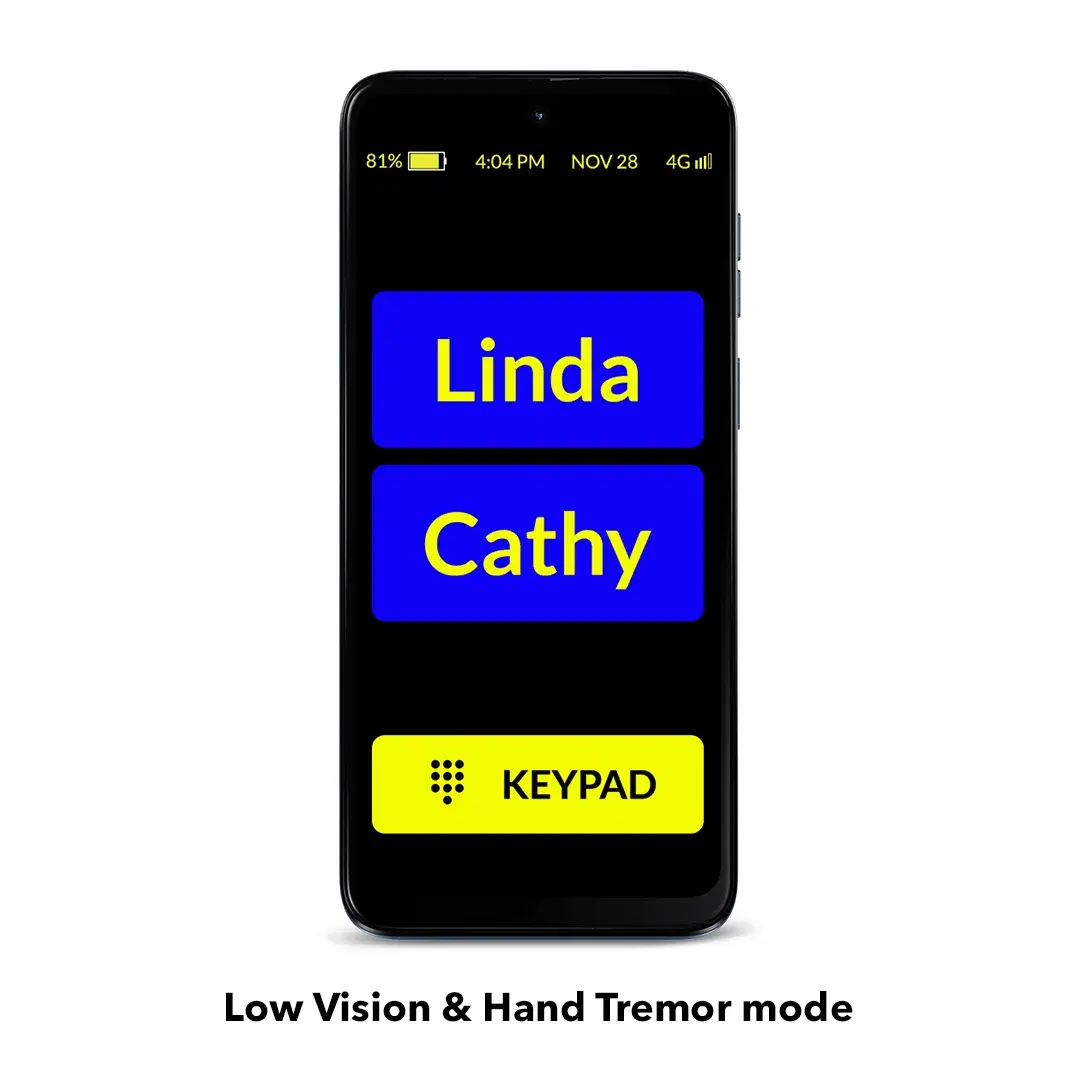
Low Vision and Hand Tremor mode: An even simpler interface with super-larger icons, fewer contacts per page and bigger buttons. You can select the color scheme and customize the contact icons for better contrast. You can also add a status tile, showing a large time and battery level. The ideal mode for those with low vision, Parkinson’s, hand tremor and others.
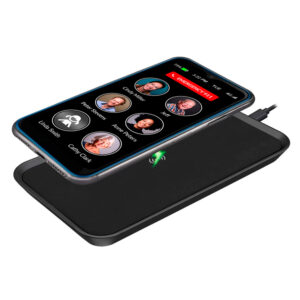
Wireless charging: The wireless charging set (sold separately) allows the user to easily charge the phone by placing it on the wireless charging stand or pad without the hassle of plugging in the charging cable.
Free updates: We are always looking to improve our products to make seniors’ and caregivers’ lives easier. When we launch new updates to the RAZ Memory Cell Phone, our customers get 100% free access to them.
Enhance your senior’s safety with our solutions
RAZ Emergency Service: With this subscription-based service, emergency calls are connected to a highly trained agent to help the senior through their problem. The agent will have access to the senior’s location and other helpful information provided by the caregiver. Text messages will be sent to emergency contacts, providing the opportunity to interact directly with the agent to assess the nature of the emergency and provide input. The RAZ Emergency Service helps avoid up to 95% of unnecessary emergency calls.
RAZ Alert: Respond more quickly to your senior’s emergencies. When your senior calls 911, receive a text message alerting you to the call. Up to 3 people can receive the 911 text message alert. There’s no additional cost for this feature.
Auto Answer: If your senior is not answering the phone and you believe that they might be experiencing an emergency, you can activate the Auto Answer feature in the RAZ Care app. When you call, the RAZ Memory Cell Phone will answer automatically after 4 or 5 rings and go to speakerphone. This is a great safety feature if your senior has fallen, for example, and can’t get to the phone! There’s no additional cost for this feature.
And there’s more!
A variety of useful RAZ Memory Cell Phone accessories, such as wireless charging sets and protective cases, are available here.
Receive 3 months of FREE wireless service from Affinity Cellular with your purchase! Affinity Cellular operates on Verizon, America’s most reliable network. Only $20 per month thereafter.
Free protection plan
In case your RAZ Memory Cell Phone is damaged within the first 12 months of use due to accidental drops or water (excluding loss or theft), we will offer you a replacement for $175 only. This applies if you purchased a protective case with the original phone. To get the replacement, you will need to return the damaged phone to RAZ Mobility.
Want to learn more about the RAZ Memory Cell Phone? Click here.






Sandy –
My mom is 91 years old with very bad macular degeneration- she is legally blind. I have tried several phones but she just couldn’t see well enough to operate the phones we tried. She was constantly turning down the volume or somehow getting it in airplane mode… changing icons and just always something to fix. Let me tell you—- I ABSOLUTELY LOVE THIS PHONE!!! AND now my mom keeps calling me to say how SHE loves this phone! I am so thankful I came across this RAZ Memory phone…. I told my husband last year we needed to find something like this…just plain and simple… and has low vision mode! Do yourself a favor and check this phone out!
Mike (verified owner) –
The Raz Memory phone covered most of the things I needed. When limiting incoming calls it will block any calls not in the contacts. It takes a little trial and error with the caretaker app to get the setting balance that you want. Memory phone is simple to use. The only drawback is the battery size. If on all day, it will need to be charge at least once in 24 hrs. I also would like to see more contacts because old folks have a lot of doctors.
RAZ Mobility Team –
Hi Mike,
Thank you for your feedback! As for contacts, you can add up to 50 to the RAZ Memory Cell Phone through the RAZ Care app. For phone numbers such as the doctor’s office, it’s possible that you’d like them to be able to call your senior, but don’t want your senior to call them. A solution for this case is the Allow list, which you can also manage in the RAZ Care app. A number added to the Allow list can call your senior’s Memory Phone, but your senior won’t be able to call them.
If you have questions or need any help, please feel free to reach out to our Support team at 800-729-0083. We’ll be glad to help!
Angela M Block (verified owner) –
Highly recommend this phone for anyone with a family member with dementia! So easy to set up and control.
David w cordell (verified owner) –
My 90-year-old father was being targeted by scammers. While the iPhone has “Silence Unknown Callers,” it still allows strangers to leave voicemails, which remained a major source of confusion and stress for him. I needed a solution that provided total gatekeeping.
The Solution: RAZ Memory Cell Phone
This phone is a perfect bridge between technology and simplicity. It is tightly controlled by the caregiver via a remote app, which has completely eliminated the scammer issue.
Key Features I Love:
• Whitelisted Contacts Only: My father cannot contact anyone, and no one can contact him, unless they are pre-approved in his contact list.
• Customizable Interface: I was able to disable the dial pad entirely to prevent accidental dialing and set the phone to auto-answer, removing the struggle of him trying to “swipe” to pick up.
• Call Confirmation: To handle the sensitive touch screen, I enabled a setting that requires him to confirm he wants to place a call, which prevents accidental pocket dials.
• Remote Management & Support: When my father had poor reception, RAZ Customer Service was excellent. They temporarily granted me remote access to his device settings to configure his Wi-Fi—a level of support you simply don’t get with big-box brands.
• Video Calling: The ability for approved family members to video call him has been a wonderful way to stay connected visually.
Room for Improvement:
The only additional feature I would love to see is the ability for the senior to initiate a video call to the caregiver. Currently, it seems optimized for the caregiver to start the session, but giving him a simple “Video Call” button for specific contacts would be the ultimate benefit.
Bottom Line: If you are a caregiver for someone with dementia or a senior who is vulnerable to scams, this phone is worth every penny. It restores the ability to communicate without the anxiety of the “open” internet.
RAZ Mobility Team –
Hello David, thank you for your awesome review!
Thank you also for your suggestion. Currently it’s not possible for seniors to initiate video calls from the RAZ Memory Cell Phone; only authorized caregivers can do it, from the RAZ Care app.
However, we’re considering adding this as an option in the future.
Cynthia Baird (verified owner) –
Is relatively simple to set up and the person I bought it for can use it fairly well. She has some memory loss but with repeated use, she is getting better at using it. It has given her some piece of mind that she can call friends and relatives at will.
Denise Wright (verified owner) –
Bought the phone for my husband since he has mild dementia and problems with an Android phone. I limited calls/texts to contacts and asking if he wants to make a call before it is placed; this eliminates scams and annoying calls/texts. I already handle all business calls/texts. This phone meets his basic needs without adding confusion. I like that I can make adjustments as needed from the RAZ app on my iPhone. My only complaint is that the battery seems to run down sooner than expected, but he gets a note and I get a text when battery is below 20%.
RAZ Mobility Team –
Hi Denise,
Thank you for your feedback! It’s good to know that the RAZ Memory Cell Phone has been helpful for your husband.
We’re glad to hear that you’re making good use of the features we developed to make sure your husband stays connected.
Due to its unique design and the need for constant availability, the battery life of this phone is somewhat shorter compared to a regular cell phone. We recommend daily charging as a routine practice, similar to what you would do with any other phone.
Your loved one can also get visual and audible confirmation that the phone is charging, while you can check the current battery power and charging status at any time.
If you need any extra help, please feel free to reach out to our Support team at 800-729-0083. We’ll be glad to assist you!
Merri Bair (verified owner) –
This phone is definitely what mom needed. Just make sure if your loved one had an iPhone. iMessage is deactivated before you activate RazMobility phone. It will take up to three days to reset iMessage from apple servers. After that texts should work without issues.
RAZ Mobility Team –
Hello Merri,
Thank you for your feedback and kind words about the RAZ Memory Cell Phone! We’re glad to hear that it’s been helpful for your mom.
Regarding iMessage, yes, your method is an option. You just need to make sure you send only regular text messages to the RAZ Memory Cell Phone.
If you need any extra help, please feel free to reach out to our Support team at 800-729-0083. We’ll be glad to assist you!
Miles Marshall (verified owner) –
Got it for my 89-year-old mother. She is very happy with it, simple to operate.
Mike Carroll (verified owner) –
It would be nice if when the RAZ phone powers off that once the the phone is plugged in and charged that the power would come on. We have the case and there are no buttons so we literally have to have a family member drive over to power on the the phone and put the phone status on.
RAZ Mobility Team –
Hello Mike,
We appreciate your feedback. Unfortunately, due to technical restrictions, it’s not possible to make the phone turn back on automatically once it’s turned off.
We’ve also developed a series of features to help make sure your senior stays connected, which can be managed through the RAZ Care app:
1) The senior can receive a reminder to charge when the battery power is low.
2) The senior can get visual and audible confirmation that the phone is charging.
3) The caregiver can receive a text message alert when the battery power on the phone is low.
4) The caregiver can check the current battery power and charging status at any time.
If you need any extra help, please feel free to reach out to our Support team at 800-729-0083. We’ll be glad to assist you!
Don Whitely (verified owner) –
This seems to be working for a family member with cognitive challenges. The standard iPhone iOS became too difficult and was abandoned meaning the only communication was either when the caregiver was present or through the Ring camera microphone (which was challenging itself).