Description
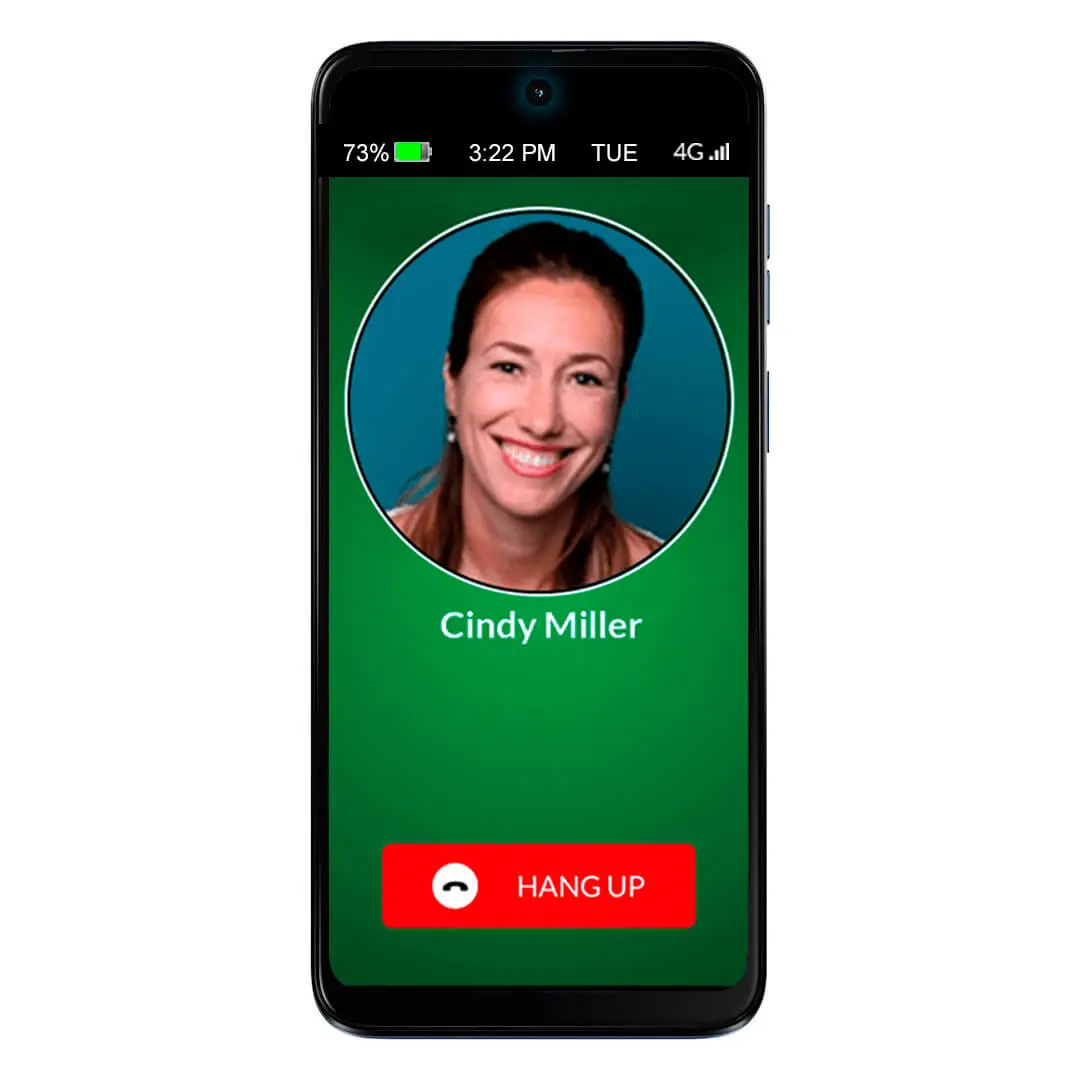
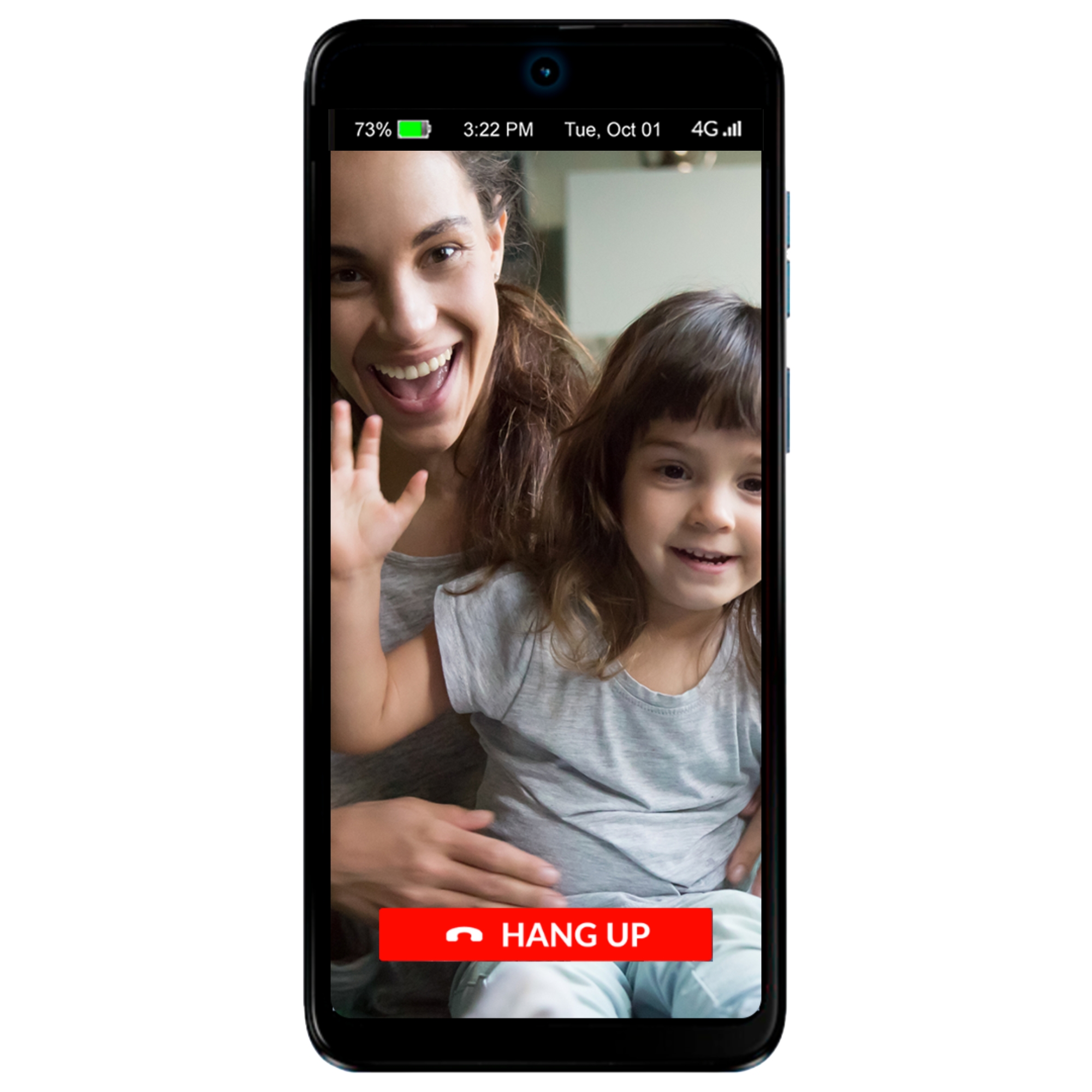
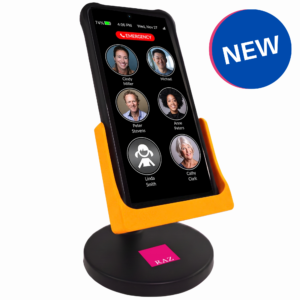
The award-winning RAZ Memory Cell Phone is an easy-to-use, groundbreaking cell phone for people with memory loss, dementia, Alzheimer’s, stroke, low vision, Parkinson’s or seniors who prefer an intuitive experience. The phone consists of one primary screen and one screen only. It allows seniors to stay connected with friends and family through regular phone calls, video calls and text messages, while allowing the caregiver to manage the phone from afar.
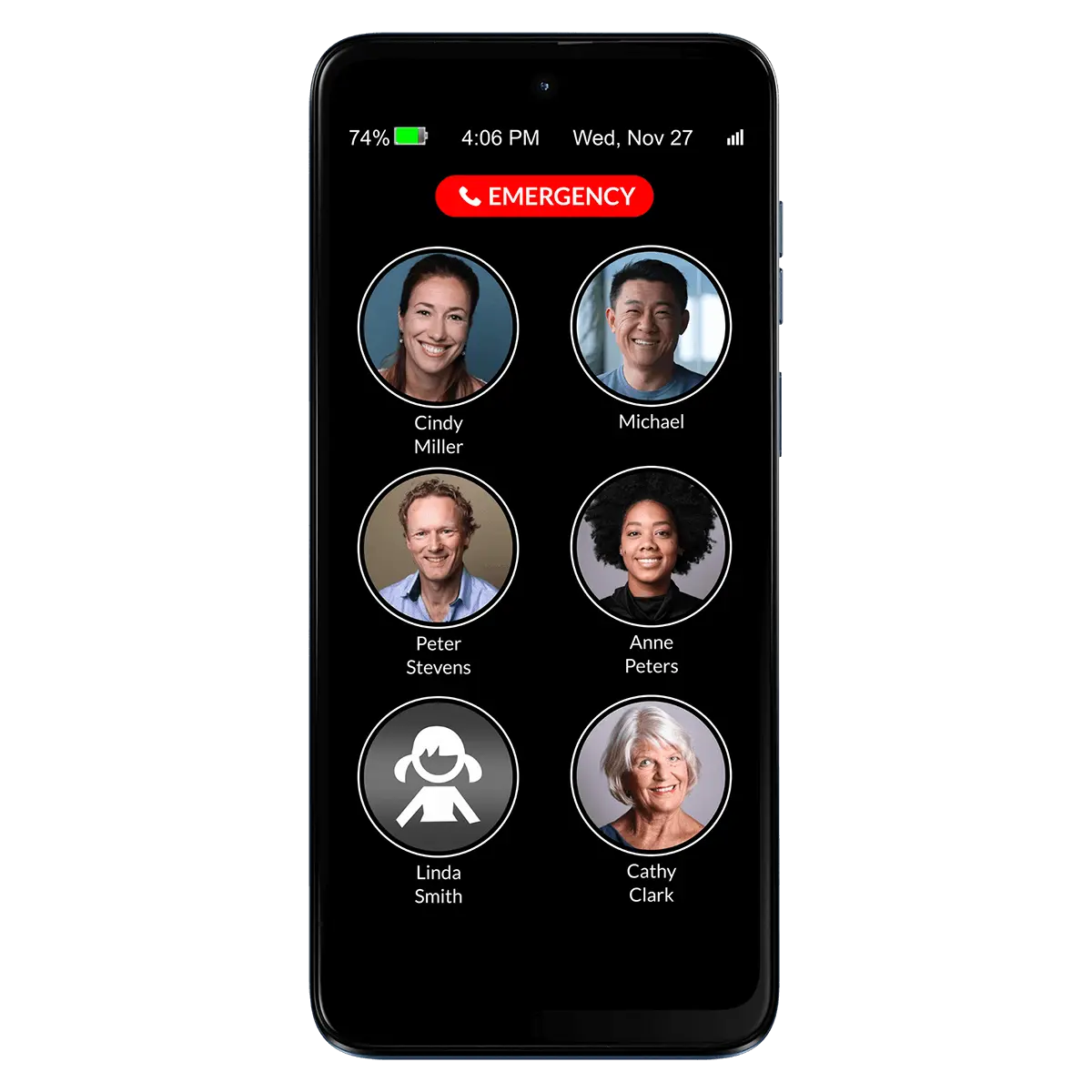
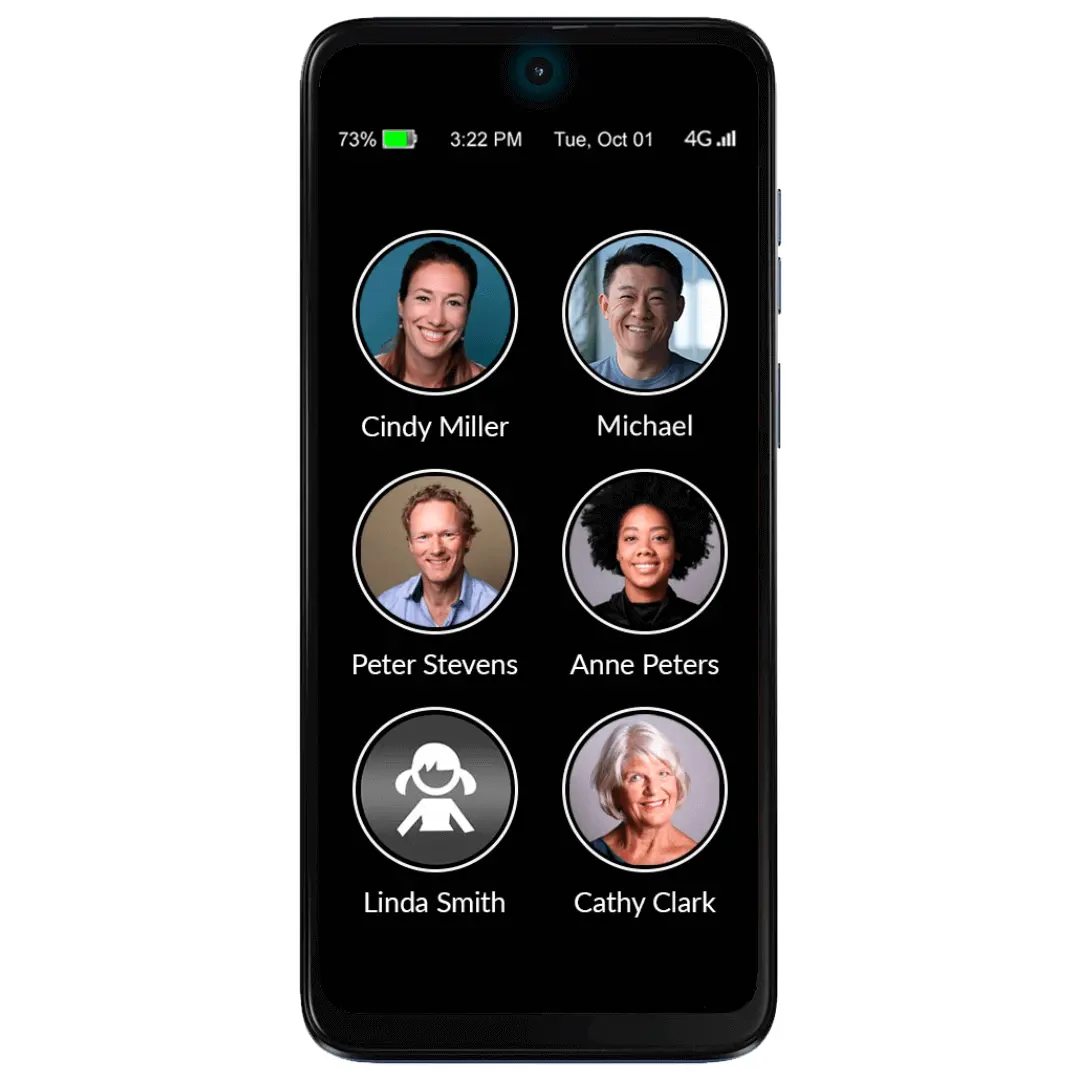
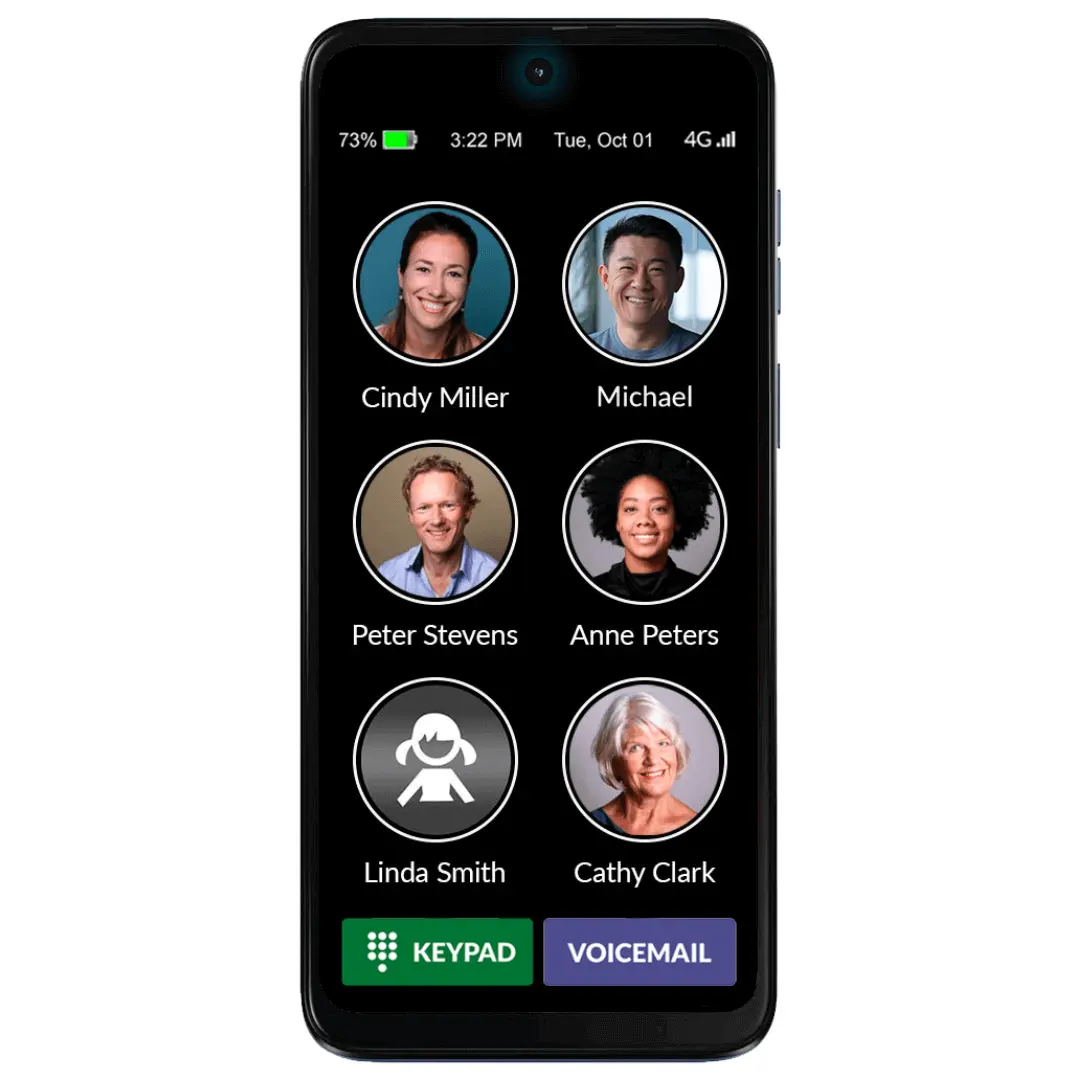
The single screen includes three elements:
- Photos and names of up to fifty contacts with six large icons per page;
- An optional 911 button or the alternative RAZ Emergency Service subscription;
- Optional information such as date & time, day of the week, battery power and signal strength.
The RAZ Memory Cell Phone does not exit the home screen. This prevents users from getting confused in the normal smartphone environment. Even the power button can be disabled.
The display, which is a large 6.5 inches, does not time out. It can remain always-on or go dark after 2 minutes and wake up with movement. At your option, incoming calls can be restricted to those coming from Contacts, eliminating undesirable predatory calls.
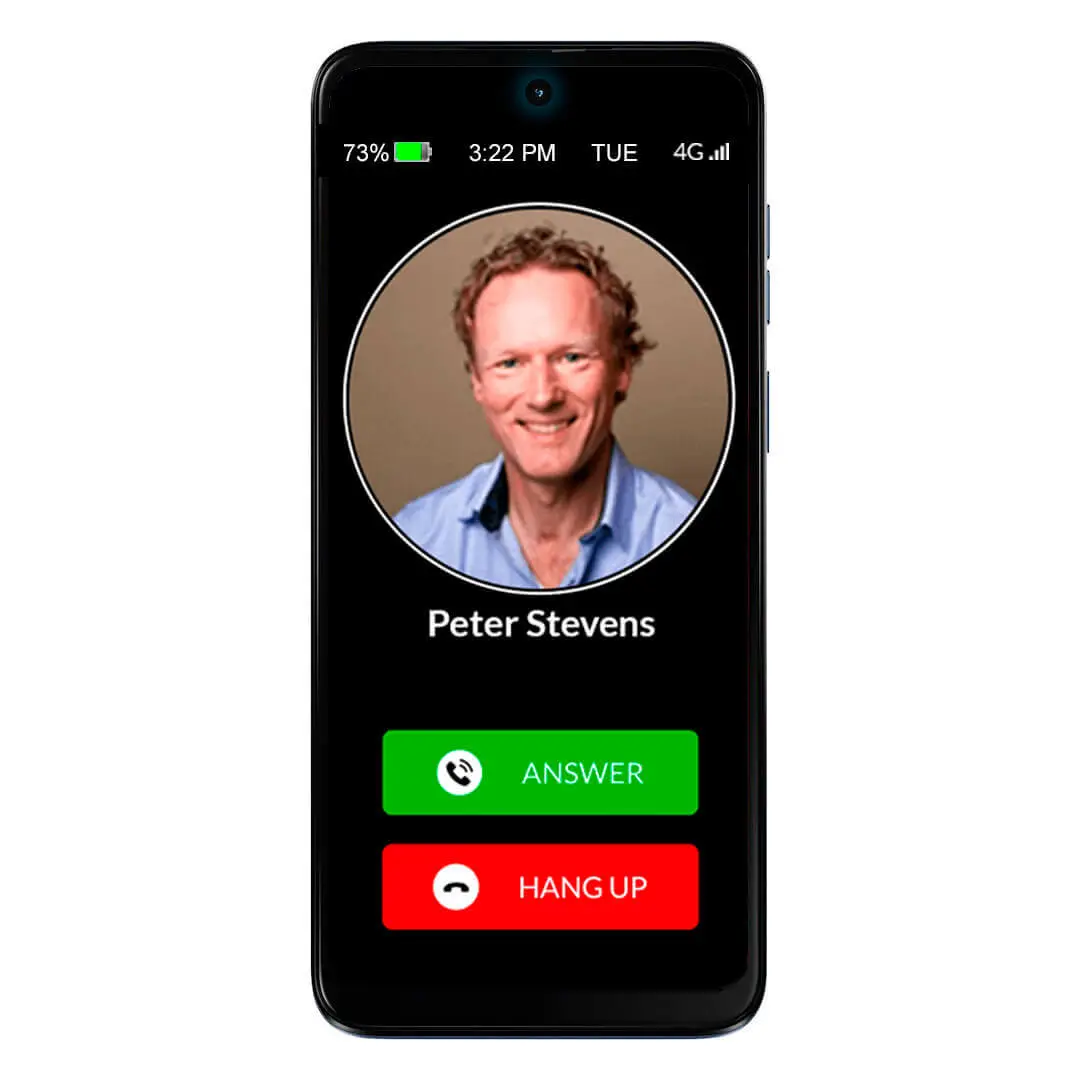
With a relentless focus on being extremely intuitive and easy to use, the RAZ Memory Cell Phone requires only a simple tap to place and answer calls. The caregiver also has the option to adapt the call activation method to the option that best suits their senior’s needs and ability.
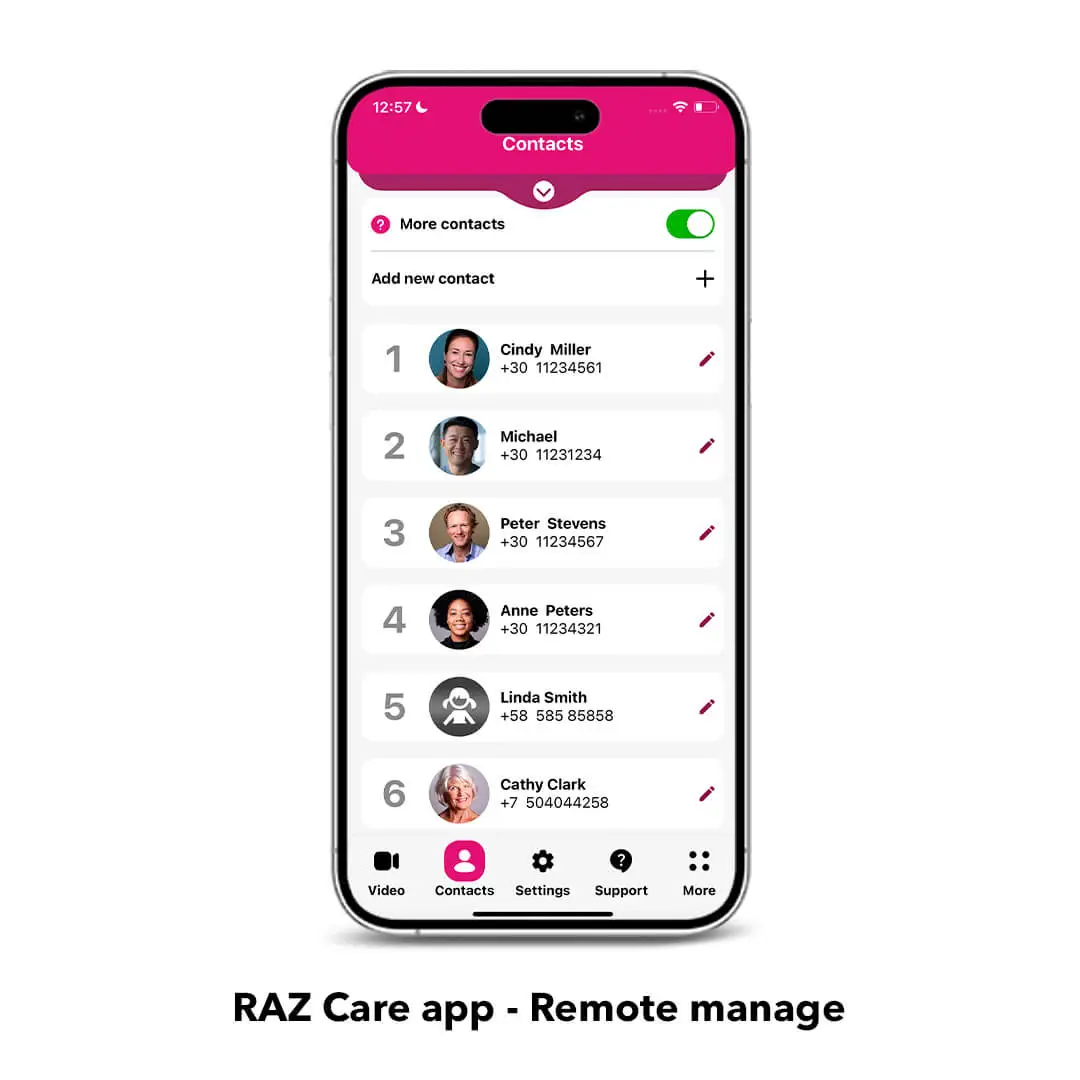
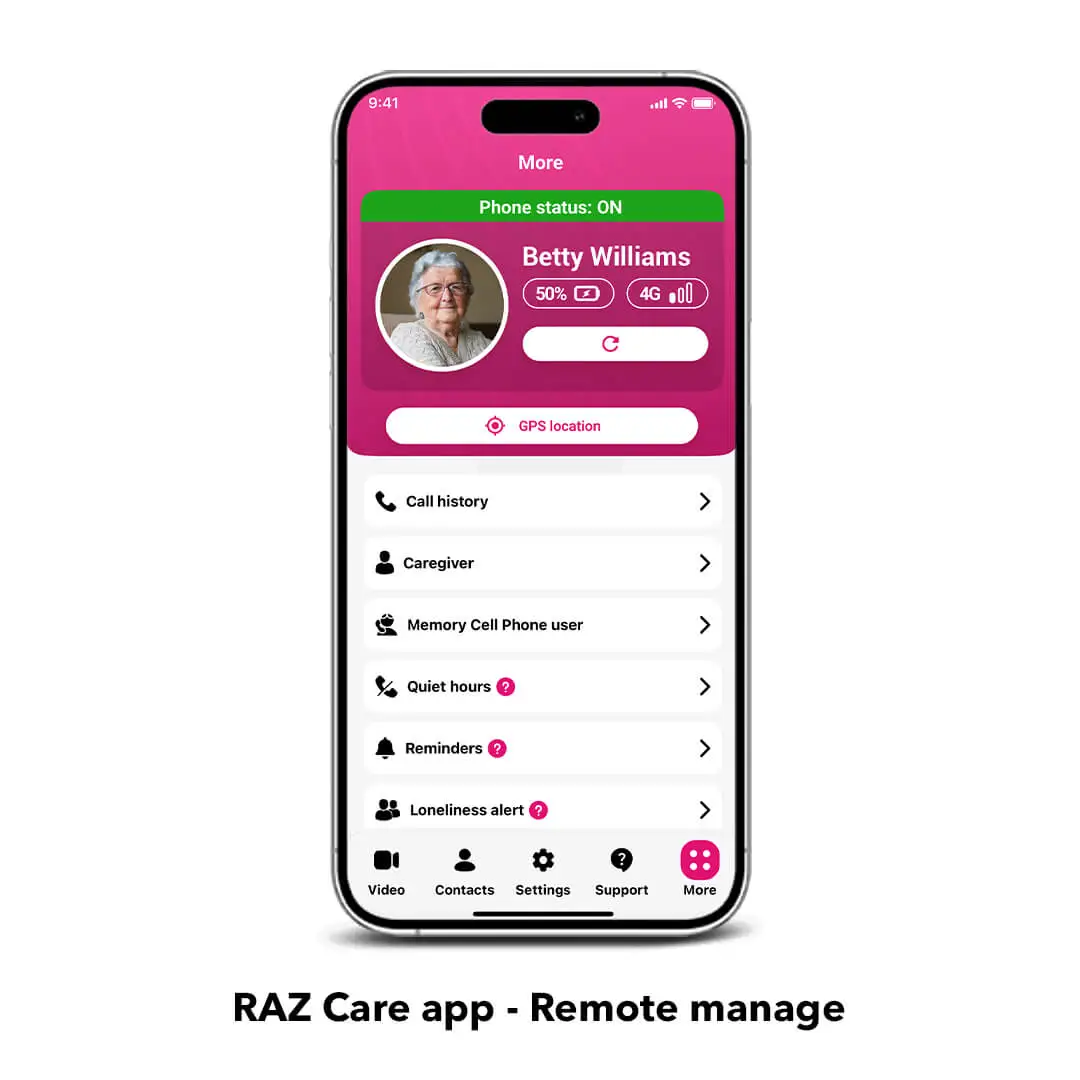
Remote Manage provides caregivers the unprecedented ability to remotely control ALL aspects of their senior’s cell phone through a simple app. Create and edit contacts, manage settings, access the phone information and much more from your own smartphone (iPhone or Android).
Key features:
Phone calls: Place and answer calls with a simple tap allowing the senior to stay connected with friends and family. The caregiver can manage the contacts with the RAZ Care app.
Block unwanted incoming calls: Avoid scams and robocalls with this essential feature that allows incoming calls only from contacts, enhancing your senior’s safety.
Video calls: Stay connected with your senior effortlessly. Only approved contacts can initiate video calls, not the senior.
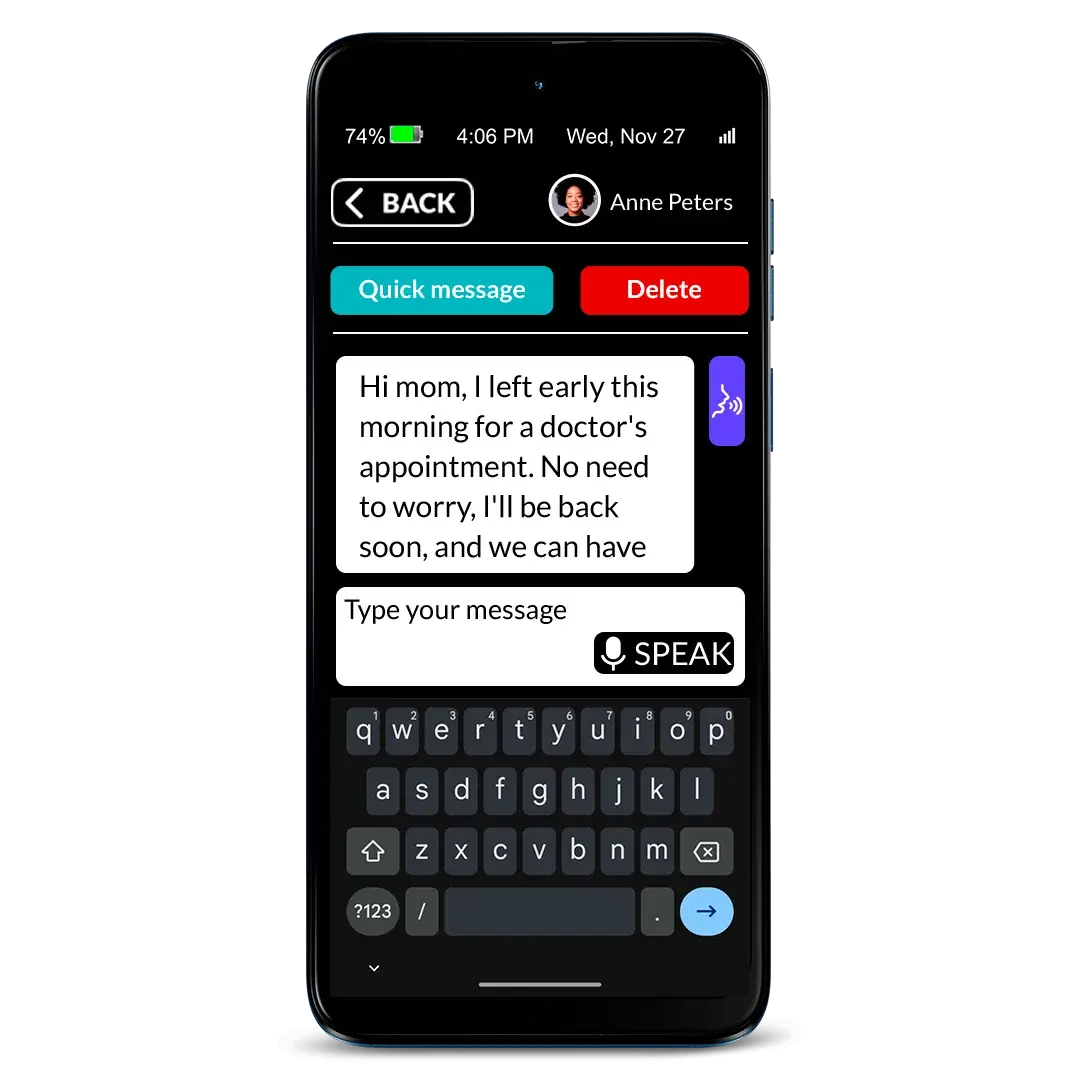
Text messaging: A simplified, customizable experience that allows seniors to send and receive text messages according to their needs and abilities, featuring super-large letters, big buttons, speech-to-text, and quick answer options. Caregivers can also control who the senior can text and who can text them. Currently, this feature does not support group messaging or the ability to share photos.
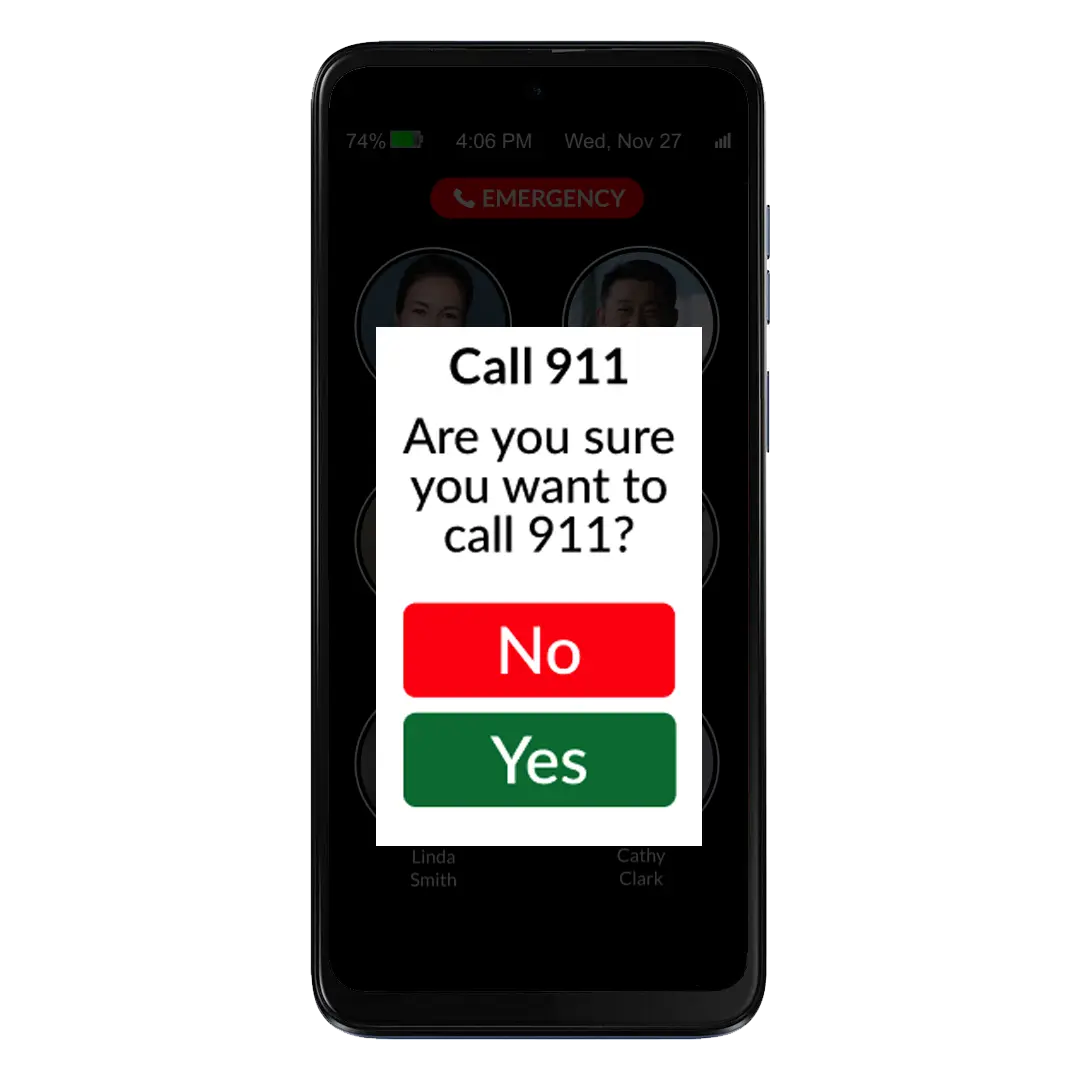
Press & hold buttons: The caregiver can choose between different press & hold methods to prevent unwanted calls. And we have added an extra layer of safety with the call confirmation screen.
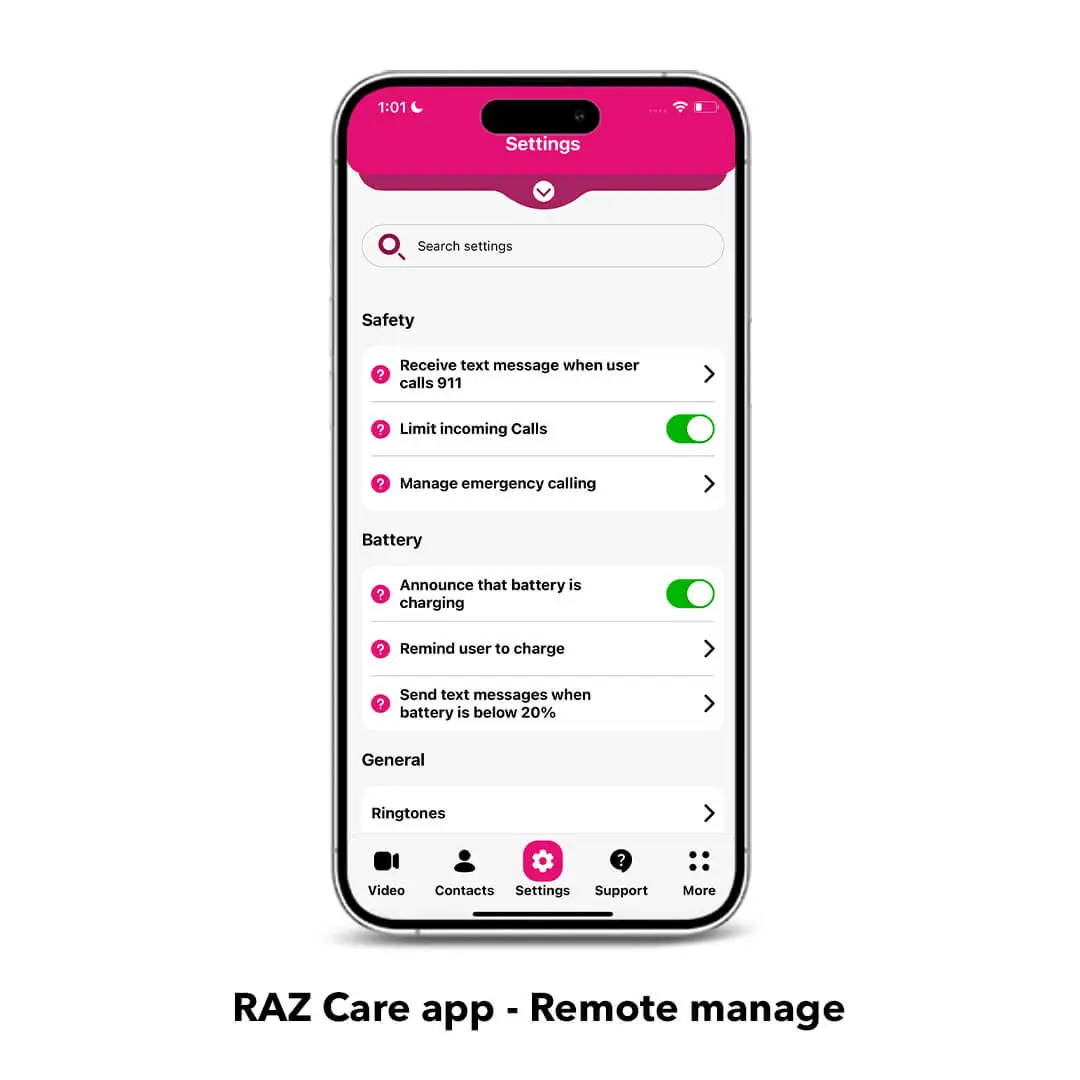
Settings are disabled for the user: ALL the settings including the volume rocker are remotely managed by the caregiver through the RAZ Care app. Caregivers can even disable the power button to avoid the phone to be accidentally turned off. This means peace of mind for the caregiver and safety for the senior.
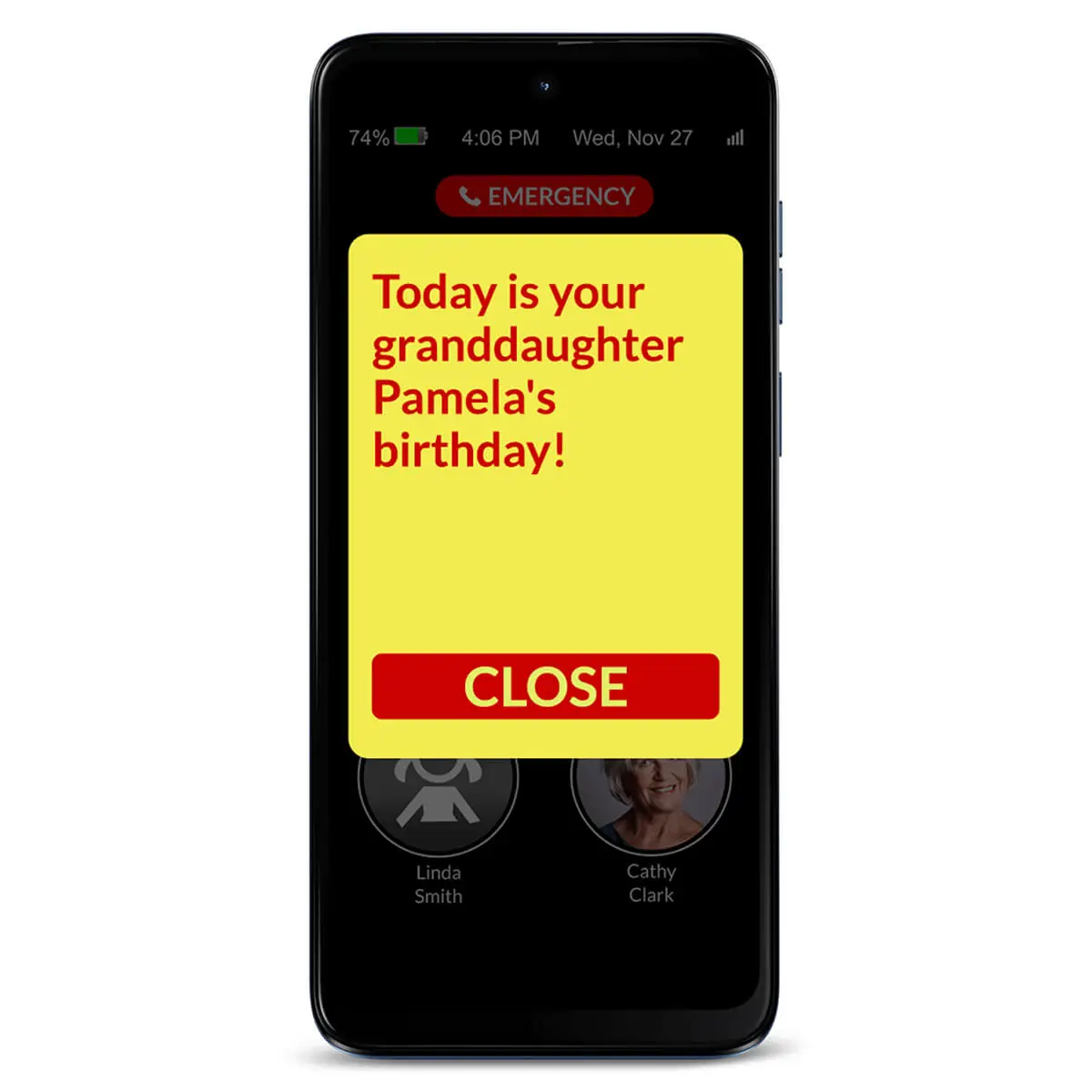
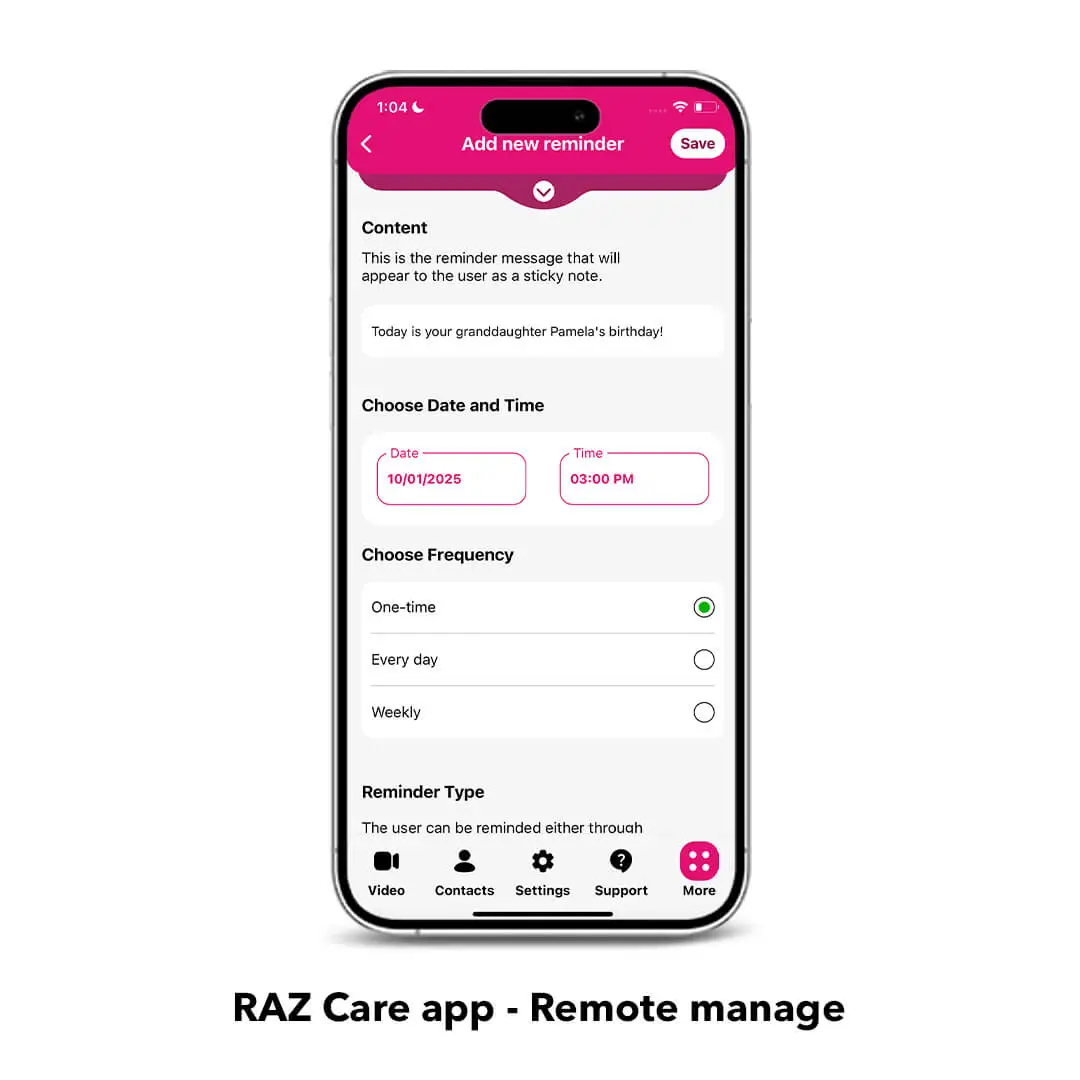
Reminders: From your own smartphone, you can send your senior reminders about medicines, appointments or important events and see if they were acknowledged. Reminder colors and font size can be customized through the RAZ Care app.
Quiet hours: Prevent your senior with dementia from calling specified contacts during certain hours of the day or in the middle of the night.
Loneliness alerts: Reduce loneliness! Receive an alert when the user does not participate in the desired number of calls.
Manage battery charging: The RAZ Memory Cell Phone provides four key charging features. Seniors can get reminders to charge the phone and will receive visual & audible confirmation when the phone is connected to the charger. Caregivers can track the remaining battery power and charging status in the RAZ Care app and receive text alerts when the battery is low.
Location tracking & Status check: With the RAZ Care app, caregivers can get peace of mind by checking the real-time status of their senior’s phone, as well as its location.
Calling emergency services: Control how users can call emergency services. Three options are available, including an option for a 911 emergency button that is always within reach for your senior’s safety.
RAZ Emergency Service: With the RAZ Emergency Service, every emergency call is routed to a private dispatch agent who assesses the situation and contacts 911 if necessary.
Calls can go automatically to Speaker mode: With this option, seniors can hear calls clearly. The RAZ Memory Cell Phone’s speaker’s loudness can reach up to 125.6dB!
Calls can be answered automatically: With the Auto-answer option, incoming calls from contacts will be answered automatically and the call will be on speaker.
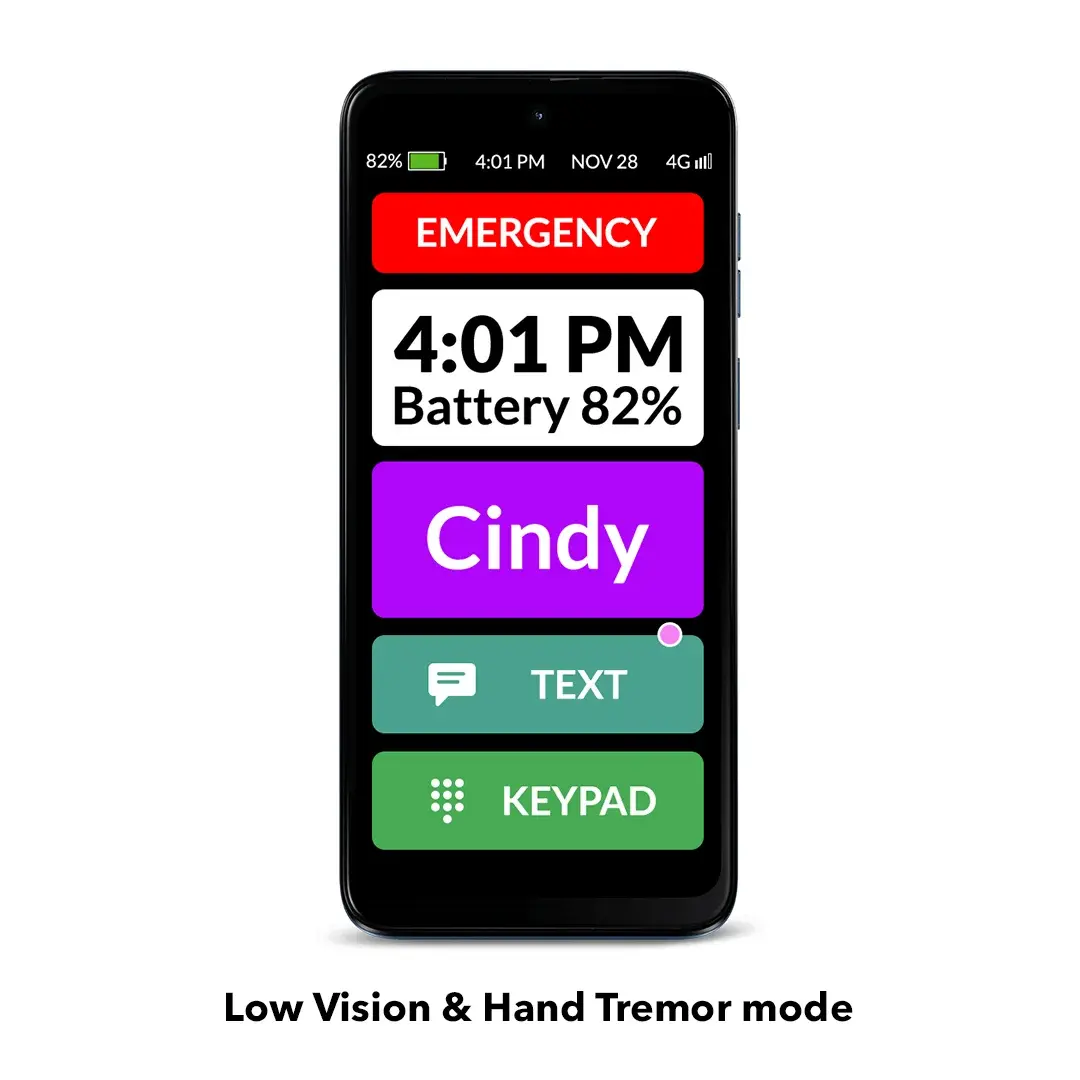
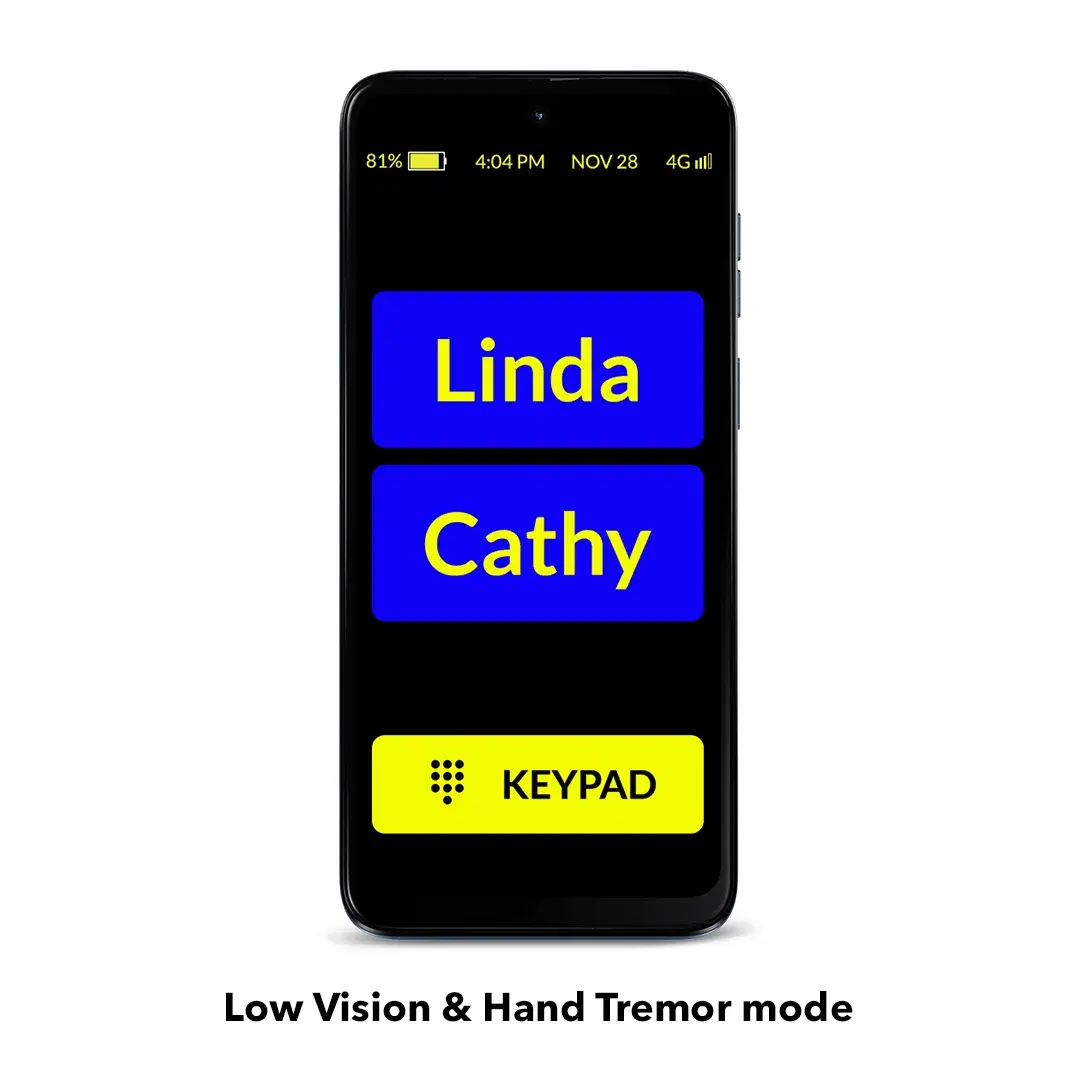
Low Vision and Hand Tremor mode: An even simpler interface with super-larger icons, fewer contacts per page and bigger buttons. You can select the color scheme and customize the contact icons for better contrast. You can also add a status tile, showing a large time and battery level. The ideal mode for those with low vision, Parkinson’s, hand tremor and others.
Wireless charging: The wireless charging set (sold separately) allows the user to easily charge the phone by placing it on the wireless charging stand or pad without the hassle of plugging in the charging cable.
Free updates: We are always looking to improve our products to make seniors’ and caregivers’ lives easier. When we launch new updates to the RAZ Memory Cell Phone, our customers get 100% free access to them.
Enhance your senior’s safety with our solutions
RAZ Emergency Service: With this subscription-based service, emergency calls are connected to a highly trained agent to help the senior through their problem. The agent will have access to the senior’s location and other helpful information provided by the caregiver. Text messages will be sent to emergency contacts, providing the opportunity to interact directly with the agent to assess the nature of the emergency and provide input. The RAZ Emergency Service helps avoid up to 95% of unnecessary emergency calls.
RAZ Alert: Respond more quickly to your senior’s emergencies. When your senior calls 911, receive a text message alerting you to the call. Up to 3 people can receive the 911 text message alert. There’s no additional cost for this feature.
Auto Answer: If your senior is not answering the phone and you believe that they might be experiencing an emergency, you can activate the Auto Answer feature in the RAZ Care app. When you call, the RAZ Memory Cell Phone will answer automatically after 4 or 5 rings and go to speakerphone. This is a great safety feature if your senior has fallen, for example, and can’t get to the phone! There’s no additional cost for this feature.
And there’s more!
A variety of useful RAZ Memory Cell Phone accessories, such as wireless charging sets and protective cases, are available here.
Receive 3 months of FREE wireless service from Affinity Cellular with your purchase! Affinity Cellular operates on Verizon, America’s most reliable network. Only $20 per month thereafter.
Free protection plan
In case your RAZ Memory Cell Phone is damaged within the first 12 months of use due to accidental drops or water (excluding loss or theft), we will offer you a replacement for $175 only. This applies if you purchased a protective case with the original phone. To get the replacement, you will need to return the damaged phone to RAZ Mobility.
Want to learn more about the RAZ Memory Cell Phone? Click here.




Susan Ephraim –
This phone has been an absolute blessing for my dad. It is exactly what he needed–just a phone. I purchased the case as well, so that he would be able to avoid inadvertent volume reduction and screen blackouts. The app is easy to use and totally provides a great experience for him. We have added his college teammates (they are all 90+) and he calls them every few days and they just laugh and have a ball. He was only talking to people when he asked my stepmom to call from her phone, but now, he sees them on video (that he answers readily) and he hears the name of the caller. He makes calls and answers regularly because he knows who is calling. I set the loneliness meter to 4 outgoing calls every 2 days. He has far exceeded that goal.
I am so happy for him. He is much more sociable. The phone has given him connection and independence. My dad and I are now back to talking every day.
I tell everyone about this phone.
David Taticek (verified owner) –
I love all the phone features, but I wish it would allow you to program more than 50 people into the contacts.
Debbie Travis (verified owner) –
This phone has been such a game changer! It is easy to use. Has kept all the spam and unwanted calls (my mom
Would answer) away, which is HUGE! She needed this protection and I was having to constantly check her iPhone. No more of that! LOVE the no repetitive calling and quiet time and no internet! So perfect for elderly, Memory issues. REALLY RECOMMEND!
Toni Atkins (verified owner) –
This phone is incredible and it was ao easy to program!
Becky Gee –
My 98 YO mom is still quite sharp mentally, but anything techy, even a Jitterbug phone, she really struggles to understand. But with the RAZ phone, after a few fits and starts, she is calling us kids and answering our calls. A true game changer! Currently, she is in a skilled nursing facility and the RAZ has allowed us kids to communicate with her. I expect she will use the RAZ over her landline when she returns home.
Kate Scott (verified owner) –
I’m very impressed with this phone. Easy to use. Caregiver app is intuitive. Customer service has been phenomenal
Conrad (verified owner) –
Great phone, great features for seniors and very easy to set up!
Beth Layton (verified owner) –
Way too touchy. My mom just holds it and if she barely touches the screen it calls that person.
RAZ Mobility Team –
Hi Beth, thank you for your feedback.
In the RAZ Care app, you can test and select different call activation methods. The options are: Single tap, Double tap, Tap & hold, Tap & hold long. Many users benefit from this feature!
You can also enable the Call confirmation screen, which prompts the user to confirm if they really want to place a call, reducing accidental calls significantly.
If you have any questions or need help, please feel free to reach out to our Support team at 800-729-0083. We’ll be glad to assist you!
LINDA J MANNING (verified owner) –
Easiest phone I ever set up. This was for my sister who is having cognitive issues. Now she can be in touch with people without a complicated system. Just push the pic of who she wants to call. So easy!
Karen Curtis (verified owner) –
The RAZ Mobility phone was exactly what my 90 year old mom with dementia needed. The ease of usage gave my mom back a little of her freedom and independence. She enjoyed talking with friends easily. I appreciated how easy it was to set up. I really appreciated being able to control who she talked to, when she could call them and being able to message and call her easily. This phone system really was the best out there. We tried a couple other ones, but RAZ was the easiest and gave us the control everyone needed. Their support team were always helpful and kind. I liked all the tutorial videos on how to set up the system beforehand. Thank you RAZ folks for producing such a quality phone and oh so helpful.